<?xml version="1.0" encoding="utf-8"?><feed xmlns="http://www.w3.org/2005/Atom" ><generator uri="https://jekyllrb.com/" version="4.4.1">Jekyll</generator><link href="https://blog.joey-dumont.ca/feed.xml" rel="self" type="application/atom+xml" /><link href="https://blog.joey-dumont.ca/" rel="alternate" type="text/html" /><updated>2025-11-16T14:46:26-05:00</updated><id>https://blog.joey-dumont.ca/feed.xml</id><title type="html">Study of Nature</title><subtitle>A personal blog rooted in my interest for physics, mathematics, technology and literature.
</subtitle><entry><title type="html">GTD: a tickler file in Obsidian and DataviewJS</title><link href="https://blog.joey-dumont.ca/writing/gtd-tickler-file/" rel="alternate" type="text/html" title="GTD: a tickler file in Obsidian and DataviewJS" /><published>2025-11-16T00:00:00-05:00</published><updated>2025-11-16T00:00:00-05:00</updated><id>https://blog.joey-dumont.ca/writing/gtd-tickler-file</id><content type="html" xml:base="https://blog.joey-dumont.ca/writing/gtd-tickler-file/"><![CDATA[<!-- Should be a short article talking about GTD, and how the tickler file is meant to remind you of things at specific dates. -->

<p>I’ve recently read David Allen’s <a href="https://openlibrary.org/works/OL271504W/Getting_Things_Done?edition=ia:gettingthingsdon0000alle_g8s9">Getting Things Done</a> <a class="citation" href="#allenGettingThingsDone2015"> [1]</a>, more commonly known as GTD. I’ve taken to the approach, especially the concept of the next action list and the six level model for categorizing work. I’ve even <a href="https://forum.obsidian.md/t/gtd-with-obsidian-a-ready-to-go-gtd-system-with-task-sequencing-quick-add-template-waiting-on-someday-maybe-and-more/65502">integrated</a> <a class="citation" href="#alangGTDObsidianReadytogo2023"> [2]</a> my next action list into Obsidian, after years of avoiding the latter for task tracking.</p>

<p>One other tool that Allen swears by in GTD is the tickler file, or suspense file <a class="citation" href="#corydoctorowKeepingSuspenseFile2024"> [3]</a>. It is a technique for ensuring that you are reminded of tasks/projects/notes at a particular time. You could implement this with physical files and folders (see Fig. 1 below for the GTD version), a To-do app that supports reminders, post-it notes, etc. I spend the majority of my time working in front of my computer, and a lot of in in Obsidian, so having my suspense file right there is valuable.</p>

<p>I’ve written a short DataviewJS implementation of a tickler file that I use in my <em>Daily Note</em> template. Below, I go over the additional metadata that I put in the frontmatter of my notes, show the JS implementation, and show how it gets used in my templates. You can skip ahead to the <a href="https://gist.github.com/joeydumont/04fad2ccee08c02f750a82e93ee0867e">Gist</a> with the implementation if you’d like!</p>

<p><br /></p>

<figure style="text-align:center;">
    <img src="https://blog.joey-dumont.ca/assets/posts/tickler-file/physical-tickler.png" width="600" />
    <figcaption><b>Figure 1</b>: Physical tickler file. Reproduced from <a class="citation" href="#allenGettingThingsDone2015"> [1]</a>.</figcaption>
</figure>

<p><br /></p>

<h2 id="implementation">Implementation</h2>

<p>I wanted to be able to easily “move” the tickler file ahead in time, as well as do something you cannot do with a physical suspense: put it in multiple folders at the same time. The easiest way to achieve this is to add <code class="language-plaintext highlighter-rouge">tickler</code> and a <code class="language-plaintext highlighter-rouge">tickled</code> arrays in my frontmatter. The first is used to indicate in which folder the file (or note in this case) should be, and the latter to mark the note as reviewed at a particular date. This allows me to have mutliple reminders in the future.</p>

<div class="language-yaml highlighter-rouge"><div class="highlight"><pre class="highlight"><code><span class="nn">---</span>
<span class="na">tickler</span><span class="pi">:</span> <span class="pi">[</span><span class="nv">2025-09-11</span><span class="pi">,</span> <span class="nv">2026-03-01</span><span class="pi">]</span>
<span class="na">tickled</span><span class="pi">:</span> <span class="pi">[</span><span class="nv">2025-09-11</span><span class="pi">]</span>
<span class="nn">---</span>
</code></pre></div></div>
<p>In the example above, I set a reminder for September 11th, and I have marked it as reviewed (through the <code class="language-plaintext highlighter-rouge">tickled</code> field) on the same date. I would then expect this note to only appear in my March 1st, 2026 daily note. If <code class="language-plaintext highlighter-rouge">tickled</code> had been empty, I would expect the note to appear in my daily note template starting from September 11th onwards (i.e. before March 1st, 2026).</p>

<p>My initial, simpler, query did not produce the expected behaviour:</p>
<div class="language-sql highlighter-rouge"><div class="highlight"><pre class="highlight"><code><span class="k">TABLE</span> <span class="n">aliases</span> <span class="k">as</span> <span class="n">Title</span><span class="p">,</span> <span class="n">file</span><span class="p">.</span><span class="n">etags</span> <span class="k">as</span> <span class="n">Tags</span><span class="p">,</span> <span class="n">tickler</span> <span class="k">as</span> <span class="nb">Date</span>
<span class="k">WHERE</span> <span class="n">tickler</span> <span class="k">AND</span> <span class="k">max</span><span class="p">(</span><span class="n">tickler</span><span class="p">)</span> <span class="o">&lt;=</span> <span class="nb">date</span><span class="p">(</span><span class="mi">2025</span><span class="o">-</span><span class="mi">10</span><span class="o">-</span><span class="mi">04</span><span class="p">)</span> <span class="k">AND</span> <span class="k">max</span><span class="p">(</span><span class="n">tickled</span><span class="p">)</span> <span class="o">&lt;</span> <span class="k">max</span><span class="p">(</span><span class="n">tickler</span><span class="p">)</span>
</code></pre></div></div>
<p>The use of <code class="language-plaintext highlighter-rouge">max</code> broke the ability to mark notes to be tickled at multiple future dates, as this query would only show the later date. I had to switch to a simple DataviewJS implementation that allowed more complex logic around matching time periods. Here is the script in its entirety below and in this <a href="https://gist.github.com/joeydumont/04fad2ccee08c02f750a82e93ee0867e">Gist</a>.</p>

<div class="language-javascript highlighter-rouge"><div class="highlight"><pre class="highlight"><code><span class="c1">// Match up time periods for the tickler file and show items that haven't been tickled yet.</span>
<span class="c1">// Match up time periods for the tickler file and show items that haven't been tickled yet.</span>
<span class="c1">//</span>
<span class="c1">// My tickler notes have two properties set up:</span>
<span class="c1">//   - tickler: [YYYY-MM-DD, YYYY-MM-DD,...]</span>
<span class="c1">//   - tickled: [YYYY-MM-DD, ...]</span>
<span class="c1">//</span>
<span class="c1">// I want a note to appear in my tickler file whenever the current date is larger than the largest element</span>
<span class="c1">// in tickler smaller than the largest element in tickled. That will allow me to have multiple tickler</span>
<span class="c1">// dates in the future.</span>
<span class="c1">// @param { dv.page }           page - page fed through a dv.page query.</span>
<span class="c1">// @param { dv.luxon.DateTime } date - date passed as as luxon.DateTime object,</span>
<span class="c1">//                                     the same as the DataView dates. Makes it easier to do</span>
<span class="c1">//                                     date comparisons.</span>
<span class="kd">function</span> <span class="nf">tickler_file</span><span class="p">(</span><span class="nx">page</span><span class="p">,</span> <span class="nx">date</span><span class="p">)</span> <span class="p">{</span>
    <span class="c1">// Helper function for comparing Date objects.</span>
    <span class="kd">function</span> <span class="nf">isSameOrBeforeDay</span><span class="p">(</span><span class="nx">d1</span><span class="p">,</span> <span class="nx">d2</span><span class="p">)</span> <span class="p">{</span>
        <span class="k">return</span> <span class="nx">d1</span><span class="p">.</span><span class="nf">hasSame</span><span class="p">(</span><span class="nx">d2</span><span class="p">,</span> <span class="dl">"</span><span class="s2">day</span><span class="dl">"</span><span class="p">)</span> <span class="o">||</span> <span class="nx">d1</span> <span class="o">&lt;</span> <span class="nx">d2</span><span class="p">;</span>
    <span class="p">}</span>

    <span class="k">debugger</span><span class="p">;</span>

    <span class="k">if </span><span class="p">(</span><span class="o">!</span><span class="nx">date</span><span class="p">.</span><span class="nx">isLuxonDateTime</span><span class="p">)</span> <span class="p">{</span>
        <span class="k">throw</span> <span class="k">new</span> <span class="nc">Error</span><span class="p">(</span><span class="s2">`You passed an invalid date into the query.
            Make sure to wrap the date in dv.luxon.DateTime.fromISO('YYYY-MM-DD')`</span><span class="p">);</span>
    <span class="p">}</span>

    <span class="k">if </span><span class="p">(</span><span class="o">!</span><span class="nx">page</span><span class="p">.</span><span class="nx">tickler</span><span class="p">)</span> <span class="p">{</span>
        <span class="c1">// No tickler field, probably a bad query. Simply return false.</span>
        <span class="k">return</span> <span class="kc">false</span><span class="p">;</span>
    <span class="p">}</span>

    <span class="kd">const</span> <span class="nx">tickler_dates</span> <span class="o">=</span> <span class="nb">Array</span><span class="p">.</span><span class="nf">isArray</span><span class="p">(</span><span class="nx">page</span><span class="p">.</span><span class="nx">tickler</span><span class="p">)</span>
        <span class="p">?</span> <span class="nx">page</span><span class="p">.</span><span class="nx">tickler</span>
        <span class="p">:</span> <span class="p">[</span><span class="nx">page</span><span class="p">.</span><span class="nx">tickler</span><span class="p">];</span>

    <span class="c1">// If it hasn't been tickled yet, find the minimum date in the tickler array.</span>
    <span class="k">if </span><span class="p">(</span><span class="o">!</span><span class="nx">page</span><span class="p">.</span><span class="nx">tickled</span><span class="p">)</span> <span class="p">{</span>
        <span class="c1">// Find the min</span>
        <span class="kd">const</span> <span class="nx">min_tickler_date</span> <span class="o">=</span> <span class="nx">tickler_dates</span><span class="p">.</span><span class="nf">reduce</span><span class="p">((</span><span class="nx">latest</span><span class="p">,</span> <span class="nx">current</span><span class="p">)</span> <span class="o">=&gt;</span>
            <span class="nx">latest</span> <span class="o">&lt;</span> <span class="nx">current</span> <span class="p">?</span> <span class="nx">latest</span> <span class="p">:</span> <span class="nx">current</span><span class="p">,</span>
        <span class="p">);</span>
        <span class="k">return</span> <span class="nf">isSameOrBeforeDay</span><span class="p">(</span><span class="nx">min_tickler_date</span><span class="p">,</span> <span class="nx">date</span><span class="p">);</span>
    <span class="p">}</span>

    <span class="c1">// If it has been tickled in the past, check whether the next tickler date is the same or before</span>
    <span class="c1">// the current date.</span>
    <span class="kd">const</span> <span class="nx">tickled_dates</span> <span class="o">=</span> <span class="nb">Array</span><span class="p">.</span><span class="nf">isArray</span><span class="p">(</span><span class="nx">page</span><span class="p">.</span><span class="nx">tickled</span><span class="p">)</span>
        <span class="p">?</span> <span class="nx">page</span><span class="p">.</span><span class="nx">tickled</span>
        <span class="p">:</span> <span class="p">[</span><span class="nx">page</span><span class="p">.</span><span class="nx">tickled</span><span class="p">];</span>
    <span class="kd">const</span> <span class="nx">latest_tickled</span> <span class="o">=</span> <span class="nx">tickled_dates</span><span class="p">.</span><span class="nf">reduce</span><span class="p">((</span><span class="nx">a</span><span class="p">,</span> <span class="nx">b</span><span class="p">)</span> <span class="o">=&gt;</span> <span class="p">(</span><span class="nx">b</span> <span class="o">&gt;</span> <span class="nx">a</span> <span class="p">?</span> <span class="nx">b</span> <span class="p">:</span> <span class="nx">a</span><span class="p">));</span>
    <span class="kd">const</span> <span class="nx">remaining_ticklers</span> <span class="o">=</span> <span class="nx">tickler_dates</span><span class="p">.</span><span class="nf">filter</span><span class="p">((</span><span class="nx">d</span><span class="p">)</span> <span class="o">=&gt;</span> <span class="nx">d</span> <span class="o">&gt;</span> <span class="nx">latest_tickled</span><span class="p">);</span>

    <span class="c1">// If there are no remaining ticklers, we are done.</span>
    <span class="k">if </span><span class="p">(</span><span class="nx">remaining_ticklers</span><span class="p">.</span><span class="nx">length</span> <span class="o">===</span> <span class="mi">0</span><span class="p">)</span> <span class="k">return</span> <span class="kc">false</span><span class="p">;</span>

    <span class="kd">const</span> <span class="nx">next_tickler</span> <span class="o">=</span> <span class="nx">remaining_ticklers</span><span class="p">.</span><span class="nf">reduce</span><span class="p">((</span><span class="nx">a</span><span class="p">,</span> <span class="nx">b</span><span class="p">)</span> <span class="o">=&gt;</span> <span class="p">(</span><span class="nx">a</span> <span class="o">&lt;=</span> <span class="nx">b</span> <span class="p">?</span> <span class="nx">a</span> <span class="p">:</span> <span class="nx">b</span><span class="p">));</span>

    <span class="k">return</span> <span class="nf">isSameOrBeforeDay</span><span class="p">(</span><span class="nx">next_tickler</span><span class="p">,</span> <span class="nx">date</span><span class="p">);</span>
<span class="p">}</span>

<span class="nx">exports</span><span class="p">.</span><span class="nx">tickler_file</span> <span class="o">=</span> <span class="nx">tickler_file</span><span class="p">;</span>
</code></pre></div></div>
<p>If <code class="language-plaintext highlighter-rouge">tickled</code> is not set, we just need to check the minimal value of <code class="language-plaintext highlighter-rouge">tickler</code> against the current date.  If both fields are populated, we find the the latest date in <code class="language-plaintext highlighter-rouge">tickled</code>, and check whether there are any fields in <code class="language-plaintext highlighter-rouge">tickler</code> that are later than that. If there are, we check that against the current date. And that’s about the size of it.</p>

<p>Note that we reuse the Luxon library to compare dates here. It is already used by DataView to parse the fields of the <code class="language-plaintext highlighter-rouge">tickler</code> and <code class="language-plaintext highlighter-rouge">tickled</code> array.  It is easier to do this on query side, because this function is being loaded in its own sandbox, and doesn’t have access to the same environment DataView does. The script checks whether the date passed it is a <code class="language-plaintext highlighter-rouge">Luxon.DateTime</code> object.</p>

<p>This function gets called in my <em>Daily note</em> template as:</p>
<div class="language-javascript highlighter-rouge"><div class="highlight"><pre class="highlight"><code><span class="kd">var</span> <span class="nx">utils</span> <span class="o">=</span> <span class="k">await</span> <span class="nx">dv</span><span class="p">.</span><span class="nx">io</span><span class="p">.</span><span class="nf">load</span><span class="p">(</span><span class="dl">"</span><span class="s2">/Utils/dataviewjs_utils.js</span><span class="dl">"</span><span class="p">,</span> <span class="dl">"</span><span class="s2">text</span><span class="dl">"</span><span class="p">);</span>
<span class="nf">eval</span><span class="p">(</span><span class="nx">utils</span><span class="p">);</span>
<span class="kd">let</span> <span class="nx">pages</span> <span class="o">=</span> <span class="nx">dv</span><span class="p">.</span><span class="nf">pages</span><span class="p">()</span>
	<span class="p">.</span><span class="nf">where</span><span class="p">(</span><span class="nx">p</span> <span class="o">=&gt;</span> <span class="nx">p</span><span class="p">.</span><span class="nx">tickler</span><span class="p">)</span>
	<span class="p">.</span><span class="nf">where</span><span class="p">(</span><span class="nx">p</span> <span class="o">=&gt;</span> <span class="nx">exports</span><span class="p">.</span><span class="nf">tickler_file</span><span class="p">(</span>
		<span class="nx">p</span><span class="p">,</span>
		<span class="nx">dv</span><span class="p">.</span><span class="nx">luxon</span><span class="p">.</span><span class="nx">DateTime</span><span class="p">.</span><span class="nf">fromISO</span><span class="p">(</span><span class="dl">"</span><span class="s2">&lt;% tp.date.now(</span><span class="dl">"</span><span class="nx">YYYY</span><span class="o">-</span><span class="nx">MM</span><span class="o">-</span><span class="nx">DD</span><span class="dl">"</span><span class="s2">, 0, tp.file.title, </span><span class="dl">"</span><span class="nx">YYYY</span><span class="o">-</span><span class="nx">MM</span><span class="o">-</span><span class="nx">DD</span><span class="o">-</span><span class="nx">dddd</span><span class="dl">"</span><span class="s2">) %&gt;</span><span class="dl">"</span><span class="p">))</span>
	<span class="p">);</span>
<span class="nx">dv</span><span class="p">.</span><span class="nf">table</span><span class="p">(</span>
	<span class="p">[</span><span class="dl">"</span><span class="s2">File</span><span class="dl">"</span><span class="p">,</span> <span class="dl">"</span><span class="s2">Tags</span><span class="dl">"</span><span class="p">,</span> <span class="dl">"</span><span class="s2">Date</span><span class="dl">"</span><span class="p">,</span> <span class="dl">"</span><span class="s2">Date tickled</span><span class="dl">"</span><span class="p">],</span>
	<span class="nx">pages</span><span class="p">.</span><span class="nf">map</span><span class="p">(</span><span class="nx">p</span> <span class="o">=&gt;</span> <span class="p">[</span><span class="nx">p</span><span class="p">.</span><span class="nx">file</span><span class="p">.</span><span class="nx">link</span><span class="p">,</span> <span class="nx">p</span><span class="p">.</span><span class="nx">file</span><span class="p">.</span><span class="nx">etags</span><span class="p">,</span> <span class="nx">p</span><span class="p">.</span><span class="nx">tickler</span><span class="p">,</span> <span class="nx">p</span><span class="p">.</span><span class="nx">tickled</span><span class="p">])</span>
<span class="p">);</span>
</code></pre></div></div>
<p>I am using <a href="https://silentvoid13.github.io/Templater/">Templater</a> to name my daily notes as “YYYY-MM-DD-dddd”, and so the <code class="language-plaintext highlighter-rouge">tp.date.now</code> call above just parses out the date from the file name.</p>

<div class="callout">
    <div class="callout-title">
    Note
    </div>
    <div class="callout-content">
        <p><code class="language-plaintext highlighter-rouge">dv.io.load()</code> is used to ensure that the query works on mobile as well as desktop. My previous approach used <code class="language-plaintext highlighter-rouge">app.vault.adapter.basePath</code>, but that isn't available on mobile. Let me know if you have a better solution!</p>
    </div>
</div>

<p><br /></p>

<p>Fig. 2 shows a rendered query in my Obsidian Vault. Once that blog post is published I can finally close that project and mark the file as reviewed in my suspense file!</p>

<figure style="text-align:center;">
    <img src="https://blog.joey-dumont.ca/assets/posts/tickler-file/rendered-suspense-file.png" width="700" />
    <figcaption><b>Figure 2</b>: Rendered suspense file in my Obsidian Vault.</figcaption>
</figure>

<!-- Add examples of files in the tickler area in a rendered daily note. -->

<h2 id="conclusion">Conclusion</h2>

<p>Hopefully you’ve found the post useful, especially with the link to the Gist at the top. This post basically like reads like a recipe blog, except I didn’t refer to <a href="https://www.experimental-history.com/i/162370468/">9/11</a>.</p>

<p>If you’d like to see my other posts, the easiest way to consume this site is through <a href="/feed.xml">RSS</a>. There are even feed categories for selected viewing: <a href="/feed/music.xml">music</a>,
<a href="/feed/writing.xml">writing</a>,
<a href="/feed/technology.xml">technology</a>.
I love RSS, and I think you <a href="https://pluralistic.net/2024/10/16/keep-it-really-simple-stupid/">should</a> <a class="citation" href="#corydoctorowYouShouldBe2024"> [4]</a> too!</p>

<h2 id="resources">Resources</h2>

<ol class="bibliography"><li><span id="allenGettingThingsDone2015">D. Allen, <i>Getting Things Done: The Art of Stress-Free Productivity</i>, Revised edition (Penguin Books, 2015).</span></li>
<li><span id="alangGTDObsidianReadytogo2023">AlanG, <a href="https://forum.obsidian.md/t/gtd-with-obsidian-a-ready-to-go-gtd-system-with-task-sequencing-quick-add-template-waiting-on-someday-maybe-and-more/65502">“GTD with Obsidian: A Ready-to-Go GTD System with Task Sequencing, Quick-add Template, Waiting-on, Someday/Maybe, and More”</a>. Published on August 21, 2023. Accessed on September 16, 2025.</span></li>
<li><span id="corydoctorowKeepingSuspenseFile2024">Cory Doctorow, <a href="https://pluralistic.net/2024/10/26/one-weird-trick/">“Keeping a Suspense File Gives You Superpowers”</a>. Published on October 26, 2024. Accessed on April 21, 2025.</span></li>
<li><span id="corydoctorowYouShouldBe2024">Cory Doctorow, <a href="https://pluralistic.net/2024/10/16/keep-it-really-simple-stupid/">“You Should Be Using an RSS Reader”</a>. Published on October 16, 2024. Accessed on April 21, 2025.</span></li></ol>]]></content><author><name>Joey Dumont</name><email>me@joey-dumont.ca</email></author><category term="writing" /><category term="gtd" /><category term="productivity" /><summary type="html"><![CDATA[]]></summary></entry><entry><title type="html">Zotero+Obsidian: a workflow to process articles, books, and other media</title><link href="https://blog.joey-dumont.ca/writing/note-taking-zotero-obsidian/" rel="alternate" type="text/html" title="Zotero+Obsidian: a workflow to process articles, books, and other media" /><published>2025-05-18T13:00:00-04:00</published><updated>2025-05-18T13:00:00-04:00</updated><id>https://blog.joey-dumont.ca/writing/note-taking-zotero-obsidian</id><content type="html" xml:base="https://blog.joey-dumont.ca/writing/note-taking-zotero-obsidian/"><![CDATA[<!-- I should write this like a scientific article. Start with an abstract the quickly describes the problem, and my proposed solution. Intro, then meat with details, then conclusion. I don't know how big Internet articles are. Maybe max 2,000 words? -->

<p>I consume textual media from various sources:  RSS feeds, Reddit, friends sharing links, etc. In conversations, I would often find myself saying “I read that somewhere, I can’t remember where”, and then try to turn to Google to find the article again, never to find it.</p>

<p>I also struggled to internalize the ideas, concepts, and conclusions from the media I consumed.</p>

<p>To try to fix this, I added some structure into how I read and process articles, blog posts, papers, and even podcasts, so that I could make better sense of them, and hopefully gain some deeper understanding of the subjects I was reading about.</p>

<p>After months of experimentation, I developed a process that works for me. It revolves around using Zotero and Obsidian together. By using standardized, day-based, nested collections in Zotero and an <em>idempotent</em> import template in the Zotero for Obsidian plugin, I can easily refer to past articles, and refer to them when writing long-form notes or articles in Obsidian.</p>

<h2 id="goals">Goals</h2>

<p>This process aims to:</p>
<ul>
  <li>record and organize papers, articles, blog posts, podcasts, and other media, with some metadata (when I read them, notes about them, etc), ideally with minimal effort;</li>
  <li>if possible, include a way to store snapshots of the media;</li>
  <li>integrate with my existing Obsidian vault.</li>
</ul>

<blockquote>
  <p><a href="https://obsidian.md/">Obsidian</a> is a very popular Markdown editor, and I have been using it daily as a way to write down pretty much anything: journal entries, daily todoes, longer form notes about subjects I’m starting to learn, how to properly file my taxes… It has a rich plugin ecosystem that can change it from an editor to a full dashboard for your life.</p>
</blockquote>

<h2 id="zotero">Zotero</h2>

<p><a href="https://www.zotero.org/">Zotero</a> is the <em>de facto</em> tool for collecting and annotating academic articles.  It can automatically add items based on ISBN, arXiv ID, DOI, and other well-known identifiers.  The Zotero browser extension, called the <a href="https://www.zotero.org/download/connectors">Zotero Connector</a>, also acts as a power web clipper so you can ingest blog posts and articles from the web. With version 7.0, Zotero introduced the ability to highlight and annotate locally saved web snapshots—an essential feature in my workflow.”</p>

<p>To organize my daily reading, I created a top-level collection called <em>Daily</em>, which  is then organized in subcollections. See the tree</p>

<p><br /></p>

<p style="text-align:center;"><img src="https://blog.joey-dumont.ca/assets/posts/zotero-obsidian/zotero-collections.png" width="400" /><br />
<strong>Figure 1</strong>: Screenshot of my Daily Zotero collections.</p>

<p><br /></p>

<p>This structure acts both as a way to remove the friction of deciding which collection an article should go into, and to provide some structured metadata to help integration with my Obsidian vault. I always start by adding an article into its appropriate daily collection and, once I’ve read and understood the article a bit more, into a more topical collection, e.g. “Compiler Development”.  As for the latter, collections are included in an easily parsable field using <a href="https://blacksmithgu.github.io/obsidian-dataview/">Dataview</a>, making programmatic imports and querying into Obsidian easy.</p>

<p><br /></p>

<blockquote>
  <p>Another Zotero option that I like to enable for this use case is the <code class="language-plaintext highlighter-rouge">extensions.zotero.recursiveCollections</code> option.  As the name implies, it means that parent collections also show the items in their children collections.  This makes it easier to do literature retrospectives, as I can easily look at a month’s worth of reading by choosing a month’s collection. The setting is only available through the Config Editor at Edit→Settings→Advanced→Config Editor. It’s a similar interface to Firefox’s <code class="language-plaintext highlighter-rouge">about:config</code>.</p>
</blockquote>

<p>I considered and tried other options for tracking articles, like adding a <code class="language-plaintext highlighter-rouge">read-on-date</code> key in the Extra field in Zotero,  or as a tag, but I always ended up either forgetting, or simply dropping an <code class="language-plaintext highlighter-rouge">#inbox</code> tag and then never looking at the article again. Moving the data collection at ingestion time made me  do it more consistently. Let me know if you have a better solution!</p>

<h2 id="obsidian">Obsidian</h2>

<p>On its own,  Zotero offers a  functional setup.  You can easily access and search through a day or a month’s worth of articles, and the literature notes associated with them. Still, I wanted to explore the possibility of integrating this data into Obsidian, as it is where I draft most of my long-form notes and articles, and the idea of having all of my notes searchable from one location was pretty appealing.</p>

<p>The main enabler for this is the <a href="https://github.com/mgmeyers/obsidian-zotero-integration">Obsidian-Zotero integration</a> plugin for Obsidian. It allows you to import citations, notes, and even PDF annotations from Zotero into Obsidian. My workflow here is a modified version of Alexandra Phelan’s, described <a href="https://medium.com/@alexandraphelan/an-academic-workflow-zotero-obsidian-56bf918d51ab">here</a> and <a href="https://medium.com/@alexandraphelan/an-updated-academic-workflow-zotero-obsidian-cffef080addd">here</a>.</p>

<p>The Zotero integration plugin allows you to import items from your Zotero collections following a user-defined template. The Zotero item is imported as Markdown file with arbitrary metadata. The templating system is based on Mozilla’s <a href="https://mozilla.github.io/nunjucks/templating.html">Nunjucks</a> system. It is a decent templating system, but so far it does feel as powerful as Jinja.</p>

<p>One of the goals of importing my notes from Zotero was <em>idempotency</em> and <a href="https://github.com/mgmeyers/obsidian-zotero-integration/issues/341"><em>bulk imports</em></a>. I wanted to be able to modify  items in Zotero, and have the changes reflected back in Obsidian. (This is a one-way street, I do not and cannot modify Zotero items from Obsidian). To do so, I use the Zotero unique item id (shown as <code class="language-plaintext highlighter-rouge">key</code> in the image below) as the imported file name.</p>

<p style="text-align:center;"><img src="https://blog.joey-dumont.ca/assets/posts/zotero-obsidian/zotero-plugin-settings.png" width="750" />
<strong>Figure 2</strong>: Settings used to allow for <em>idempotency</em> for bulk imports and re-imports from Zotero to Obsidian.</p>

<p><br /></p>

<p style="text-align:center;"><img src="https://blog.joey-dumont.ca/assets/posts/zotero-obsidian/literature-notes-key.png" width="600" /><br />
<strong>Figure 3</strong>: File listing of literature notes imported from Zotero in my Obsidian vault.</p>

<p><br /></p>

<p>This seems like it would limit search, but you can fix it by adding aliases in the import, e.g. the title of the item. That is a good segue to talk about the Nunjucks template that I use.</p>

<p>The Nunjucks templating system is very flexible. It allows for looping constructs and some conditional logic. My own import template is pretty long, with approximately 90 lines, so I’ll break it down here. You can see the full template <a href="https://gist.github.com/joeydumont/048ef76487b6e9a2b83380c896a0095e">here</a>.</p>

<p>Let’s start by looking at the YAML frontmatter.  There’s a lot in there, but for me the most important fields are <code class="language-plaintext highlighter-rouge">title</code>, <code class="language-plaintext highlighter-rouge">year</code>,  <code class="language-plaintext highlighter-rouge">aliases</code>, and <code class="language-plaintext highlighter-rouge">collections</code>.  Both the <code class="language-plaintext highlighter-rouge">title</code> and <code class="language-plaintext highlighter-rouge">aliases</code> are indexed by Obsidian search (and Omnisearch), so when you want to link to a Zotero import, starting to type <code class="language-plaintext highlighter-rouge">[[]]</code> will give you suggestions based on the title or <code class="language-plaintext highlighter-rouge">citekey</code>, so you can easily search by author or title. I use the collections field for a specific DataviewJS query that allows me to see what articles I’ve read on a particular day in my daily note, but this is a topic for another day.</p>

<div class="language-jinja highlighter-rouge"><div class="highlight"><pre class="highlight"><code>---
title: '<span class="cp">{{</span><span class="nv">title</span> <span class="o">| </span><span class="nf">replace</span><span class="p">(</span><span class="s2">"'"</span><span class="p">,</span> <span class="s2">"\""</span><span class="p">)</span><span class="cp">}}</span>'
year: <span class="cp">{{</span><span class="nv">date</span> <span class="o">| </span><span class="nf">format</span><span class="p">(</span><span class="s2">"YYYY"</span><span class="p">)</span><span class="cp">}}</span>
citekey: "@<span class="cp">{{</span><span class="nv">citekey</span><span class="cp">}}</span>"
<span class="cp">{%</span> <span class="k">if</span> <span class="nv">itemType</span> <span class="o">-</span><span class="cp">%}</span>
itemType: <span class="cp">{{</span><span class="nv">itemType</span><span class="cp">}}</span>
<span class="cp">{%</span> <span class="k">endif</span> <span class="o">-</span><span class="cp">%}</span>
<span class="cp">{%</span> <span class="k">if</span> <span class="nv">itemType</span> <span class="o">==</span> <span class="s2">"journalArticle"</span> <span class="o">-</span><span class="cp">%}</span>
journal: <span class="cp">{{</span><span class="nv">publicationTitle</span><span class="cp">}}</span>
<span class="cp">{%</span> <span class="k">endif</span> <span class="o">-</span><span class="cp">%}</span>
<span class="cp">{%</span> <span class="k">if</span> <span class="nv">itemType</span> <span class="o">==</span> <span class="s2">"podcast"</span> <span class="o">-</span><span class="cp">%}</span>
podcastSeries: "<span class="cp">{{</span><span class="nv">seriesTitle</span> <span class="o">| </span><span class="nf">lower</span><span class="cp">}}</span>"
<span class="cp">{%</span> <span class="k">endif</span> <span class="o">-</span><span class="cp">%}</span>
<span class="cp">{%</span> <span class="k">if</span> <span class="nv">volume</span> <span class="o">-</span><span class="cp">%}</span>
volume: <span class="cp">{{</span><span class="nv">volume</span><span class="cp">}}</span>
<span class="cp">{%</span> <span class="k">endif</span> <span class="o">-</span><span class="cp">%}</span>
<span class="cp">{%</span> <span class="k">if</span> <span class="nv">issue</span> <span class="o">-</span><span class="cp">%}</span>
issue: <span class="cp">{{</span><span class="nv">issue</span><span class="cp">}}</span>
<span class="cp">{%</span> <span class="k">endif</span> <span class="o">-</span><span class="cp">%}</span>
<span class="cp">{%</span> <span class="k">if</span> <span class="nv">itemType</span> <span class="o">==</span> <span class="s2">"bookSection"</span> <span class="o">-</span><span class="cp">%}</span>
book: <span class="cp">{{</span><span class="nv">bookTitle</span><span class="cp">}}</span>
<span class="cp">{%</span> <span class="k">endif</span> <span class="o">-</span><span class="cp">%}</span>
<span class="cp">{%</span> <span class="k">if</span> <span class="nv">publisher</span> <span class="o">-</span><span class="cp">%}</span>
publisher: <span class="cp">{{</span><span class="nv">publisher</span><span class="cp">}}</span>
<span class="cp">{%</span> <span class="k">endif</span> <span class="o">-</span><span class="cp">%}</span>
<span class="cp">{%</span> <span class="k">if</span> <span class="nv">place</span> <span class="o">-</span><span class="cp">%}</span>
location: <span class="cp">{{</span><span class="nv">place</span><span class="cp">}}</span>
<span class="cp">{%</span> <span class="k">endif</span> <span class="o">-</span><span class="cp">%}</span>
<span class="cp">{%</span> <span class="k">if</span> <span class="nv">pages</span> <span class="o">-</span><span class="cp">%}</span>
pages**: <span class="cp">{{</span><span class="nv">pages</span><span class="cp">}}</span>
<span class="cp">{%</span> <span class="k">endif</span> <span class="o">-</span><span class="cp">%}</span>
<span class="cp">{%</span> <span class="k">if</span> <span class="nv">DOI</span> <span class="o">-</span><span class="cp">%}</span>
doi: <span class="cp">{{</span><span class="nv">DOI</span><span class="cp">}}</span>
<span class="cp">{%</span> <span class="k">endif</span> <span class="o">-</span><span class="cp">%}</span>
<span class="cp">{%</span> <span class="k">if</span> <span class="nv">ISBN</span> <span class="o">-</span><span class="cp">%}</span>
isbn: <span class="cp">{{</span><span class="nv">ISBN</span><span class="cp">}}</span>
<span class="cp">{%</span> <span class="k">endif</span> <span class="o">-</span><span class="cp">%}</span>
aliases:
  - "<span class="cp">{{</span><span class="nv">citekey</span><span class="cp">}}</span>"
  - '<span class="cp">{{</span><span class="nv">title</span> <span class="o">| </span><span class="nf">replace</span><span class="p">(</span><span class="s2">"'"</span><span class="p">,</span> <span class="s2">"\""</span><span class="p">)</span><span class="cp">}}</span>'
dates_edited: []
<span class="cp">{%</span> <span class="k">if</span> <span class="nv">collections</span> <span class="o">-</span><span class="cp">%}</span>
collection:
<span class="cp">{%</span> <span class="k">for</span> <span class="nv">collection</span> <span class="ow">in</span> <span class="nv">collections</span> <span class="o">| </span><span class="nf">filterby</span><span class="p">(</span><span class="s2">"fullPath"</span><span class="p">,</span> <span class="s2">"startswith"</span><span class="p">,</span> <span class="s2">"Daily"</span><span class="p">)</span> <span class="o">-</span><span class="cp">%}</span>
  - <span class="cp">{{</span><span class="nv">collection.fullPath</span><span class="cp">}}</span>
<span class="cp">{%</span> <span class="k">endfor</span> <span class="o">-</span><span class="cp">%}</span>
<span class="cp">{%</span> <span class="k">endif</span> <span class="o">-</span><span class="cp">%}</span>
---
</code></pre></div></div>

<p>As for the note content itself,  there are a few things that I wanted to be able to do:</p>
<ul>
  <li>search through the abstract of the item;</li>
  <li>search through my notes;</li>
  <li>see which collections an item belonged to;</li>
  <li>import Zotero tags into Obsidian tags;</li>
  <li>navigate to the item in Zotero from Obsidian;</li>
  <li>use the graph view to see related articles;</li>
</ul>

<p>Let’s go through the content block by block. There are a lot of brackets, and escaping of quotes, so brace yourself (pun intended).</p>

<div class="language-jinja highlighter-rouge"><div class="highlight"><pre class="highlight"><code><span class="c">## [{{title}}]({{desktopURI}})</span>

<span class="cp">{%</span> <span class="k">if</span> <span class="nv">hashTags</span> <span class="o">-</span><span class="cp">%}</span>
<span class="cp">{{</span><span class="nv">hashTags</span> <span class="o">| </span><span class="nf">replace</span><span class="p">(</span><span class="s2">","</span><span class="p">,</span> <span class="s2">" "</span><span class="p">)</span><span class="cp">}}</span>
<span class="cp">{%</span> <span class="k">endif</span> <span class="cp">%}</span>
<span class="c">### Attachments</span>

<span class="cp">{%</span> <span class="k">if</span> <span class="nv">attachments</span> <span class="cp">%}</span>
<span class="cp">{%</span> <span class="k">for</span> <span class="nv">attachment</span> <span class="ow">in</span> <span class="nv">attachments</span> <span class="o">| </span><span class="nf">filterby</span><span class="p">(</span><span class="s2">"path"</span><span class="p">,</span> <span class="s2">"endswith"</span><span class="p">,</span> <span class="s2">".pdf"</span><span class="p">)</span> <span class="o">-</span><span class="cp">%}</span>
  - [<span class="cp">{{</span><span class="nv">attachment.title</span><span class="cp">}}</span>](<span class="cp">{{</span><span class="nv">attachment.desktopURI</span><span class="cp">}}</span>)
<span class="cp">{%</span> <span class="k">endfor</span> <span class="o">-</span><span class="cp">%}</span>
<span class="cp">{%</span><span class="o">-</span> <span class="k">endif</span> <span class="cp">%}</span>
</code></pre></div></div>

<p>The first heading is a link that will open up Zotero at the particular item.  This will render to something like this:</p>
<div class="language-plaintext highlighter-rouge"><div class="highlight"><pre class="highlight"><code>[Never Split the Difference: Negotiating As If Your Life Depended on It](zotero://select/library/items/2QI3X6TM)
</code></pre></div></div>
<p>a type of link you’re used to seeing if you use the Zutilo plugin.</p>

<p>The two next blocks import the tags, and ensure that they are formatted in a way that Obsidian understands (not comma separated, but space separated).</p>

<div class="language-jinja highlighter-rouge"><div class="highlight"><pre class="highlight"><code><span class="c">## Reference</span>

<span class="cp">{{</span><span class="o">-</span><span class="nv">bibliography.slice</span><span class="p">(</span><span class="nv">2</span><span class="p">,</span><span class="o">-</span><span class="nv">1</span><span class="p">)</span><span class="cp">}}</span>

<span class="c">## Collections</span>

<span class="cp">{%</span><span class="o">-</span> <span class="k">for</span> <span class="nv">collection</span> <span class="ow">in</span> <span class="nv">collections</span> <span class="cp">%}</span>

  - [<span class="cp">{{</span><span class="nv">collection.fullPath</span><span class="cp">}}</span>](zotero://select/library/collections/<span class="cp">{{</span><span class="nv">collection.key</span><span class="cp">}}</span>)

<span class="cp">{%</span><span class="o">-</span> <span class="k">endfor</span> <span class="cp">%}</span>
</code></pre></div></div>

<p>The Reference block only shows the rendered citation based on your citation style. Honestly I don’t use it that much, but it’s a nice to have. The other block shows which collections the item is a part of, and allows you to navigate to the collection in  Zotero by clicking the link.</p>

<div class="language-jinja highlighter-rouge"><div class="highlight"><pre class="highlight"><code><span class="c">## Notes</span>

<span class="cp">{%</span> <span class="k">for</span> <span class="nv">note</span> <span class="ow">in</span> <span class="nv">notes</span> <span class="o">-</span><span class="cp">%}</span>
<span class="c">### [Note {{loop.index}}]({{note.desktopURI}})</span>

<span class="cp">{{</span><span class="nv">note.note</span><span class="cp">}}</span>

<span class="cp">{%</span><span class="o">-</span> <span class="k">endfor</span> <span class="cp">%}</span>

<span class="c">## Abstract</span>

<span class="cp">{{</span><span class="nv">abstractNote</span><span class="cp">}}</span>

<span class="c">## Related notes</span>

<span class="cp">{%</span> <span class="k">for</span> <span class="nv">relation</span> <span class="ow">in</span> <span class="nv">relations</span> <span class="o">-</span><span class="cp">%}</span>
  - [<span class="cp">{{</span><span class="nv">relation.title</span><span class="cp">}}</span>](<span class="cp">{{</span><span class="nv">relation.itemKey</span><span class="cp">}}</span>)
<span class="cp">{%</span><span class="o">-</span> <span class="k">endfor</span> <span class="cp">%}</span>
</code></pre></div></div>

<p>I then import all of my notes as-is in Obsidian, and provide a Zotero link to the note itself. The abstract is a simple block of text to import. I also import the related items in Obsidian, and that builds up the local graph view in Obsidian, increasing discoverability of notes.</p>

<h2 id="conclusion">Conclusion</h2>

<p>Overall, I am satisfied with this workflow, even though there is more overhead than I would like to.  Adding blog posts and web pages to Zotero can take a bit of time, as not all sites publish proper metadata, and I need to manually tweak the items. For some types of media, like podcasts, writing a Zotero  translator (like <a href="https://github.com/timholl/zotero-lwn">this one for LWN</a>) would probably save me some time.</p>

<h2 id="appendix-essential-tools-and-plugins">Appendix: Essential Tools and Plugins</h2>

<ul>
  <li><a href="https://www.zotero.org/">Zotero</a>;
    <ul>
      <li><a href="https://retorque.re/zotero-better-bibtex/">Better BibTeX plugin</a> (to populate the `` field);</li>
      <li>Zotero <a href="https://www.zotero.org/download/connectors">browser extension</a>;</li>
      <li><code class="language-plaintext highlighter-rouge">extensions.zotero.recursiveCollections</code> to see nested collections’ items in the parent collections;</li>
    </ul>
  </li>
  <li><a href="https://obsidian.md/">Obsidian</a>;
    <ul>
      <li><a href="https://github.com/mgmeyers/obsidian-zotero-integration">Zotero Integration plugin</a>;</li>
      <li><a href="https://github.com/blacksmithgu/obsidian-dataview">Dataview</a> (optional, but very convenient to query literature notes).</li>
    </ul>
  </li>
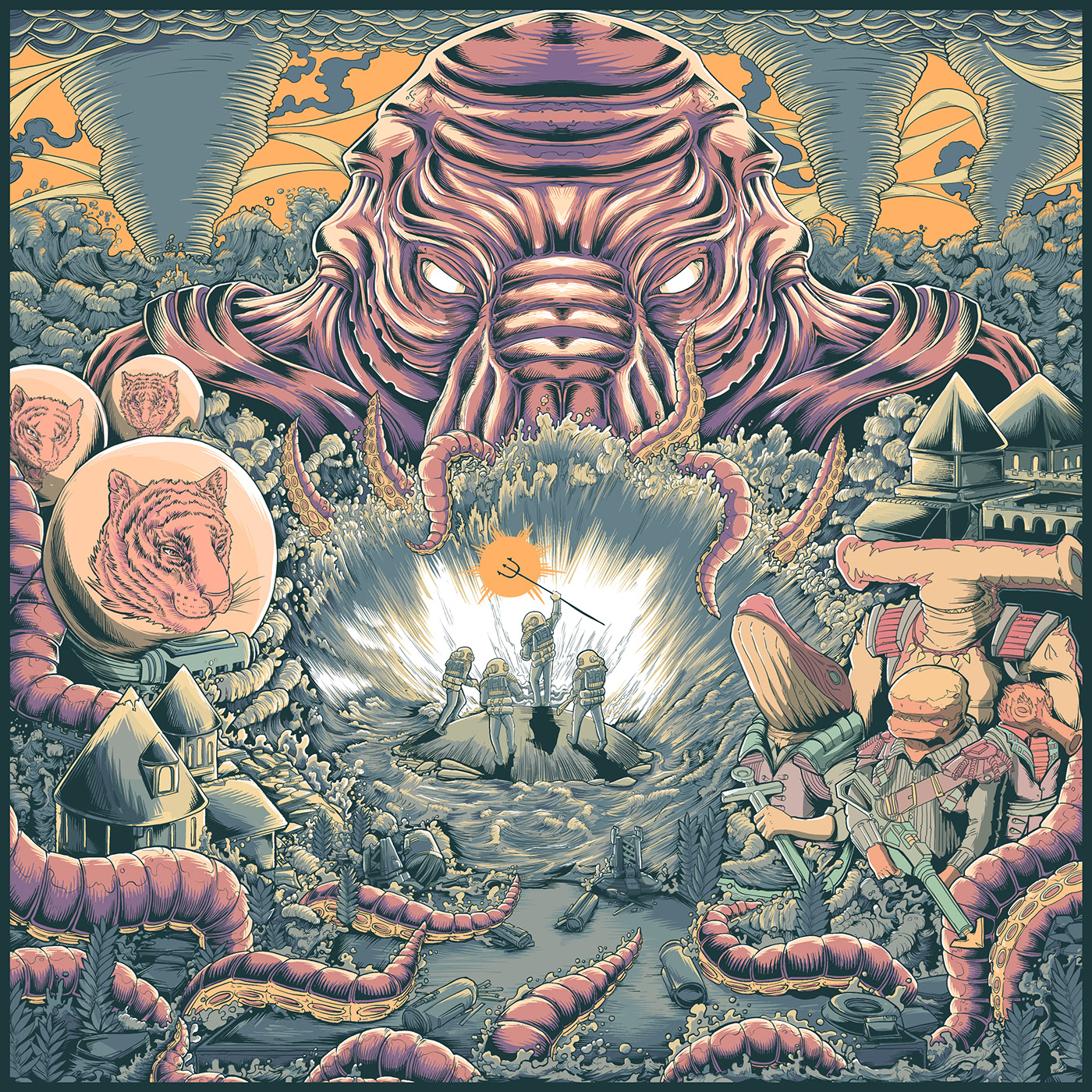
</ul>]]></content><author><name>Joey Dumont</name><email>me@joey-dumont.ca</email></author><category term="writing" /><category term="note-taking" /><category term="zotero" /><category term="obsidian" /><summary type="html"><![CDATA[]]></summary><media:thumbnail xmlns:media="http://search.yahoo.com/mrss/" url="https://blog.joey-dumont.ca/%7B%22feature%22%20=%3E%20%22zotero-obsidian.png%22%7D" /><media:content medium="image" url="https://blog.joey-dumont.ca/%7B%22feature%22%20=%3E%20%22zotero-obsidian.png%22%7D" xmlns:media="http://search.yahoo.com/mrss/" /></entry><entry><title type="html">Numen Review</title><link href="https://blog.joey-dumont.ca/music/numen-review/" rel="alternate" type="text/html" title="Numen Review" /><published>2024-03-18T21:36:00-04:00</published><updated>2024-03-18T21:36:00-04:00</updated><id>https://blog.joey-dumont.ca/music/numen-review</id><content type="html" xml:base="https://blog.joey-dumont.ca/music/numen-review/"><![CDATA[<p>I mentioned in my <a href="https://blog.joey-dumont.ca/2021-in-music/">last post</a><sup id="fnref:1"><a href="#fn:1" class="footnote" rel="footnote" role="doc-noteref">1</a></sup> that I was eagerly waiting for the next Alkaloid album, and that <em>To Where the Light Retreats</em> was a good way to pass the time, but I am no longer waiting. <em>Numen</em> came out in September 2023, and while it is not everything I had hoped for, it still gave me the motivation to write on this blog again. After the break, put on your space suit, we’re going on yet another cosmic horror mission.</p>

<p><br /></p>

<p style="text-align:center;"><img src="https://blog.joey-dumont.ca/assets/posts/numen/album-cover.png" width="400" /></p>

<p><br /></p>

<p><a href="https://www.metal-archives.com/albums/Alkaloid/Numen/1148473"><em>Numen</em></a> is pretty much what you would expect out of Grossmann, Morean, Münzner, and Klausenitzer: highly technical compositions that you can somehow grasp on the first listen, and deepen your appreciate for over time. The atmosphere is very similar to their earlier albums, <em>The Malkuth Grimoire</em> and <em>Liquid Anatomy</em>, with riffs straight lifted straight out of <em>Dyson Sphere</em>, and will feel familiar to fans.</p>

<p>This is my main issue with the album, as it feels like the theme, and especially the lyrics, are starting to feel stale. I do enjoy Cthulu-esque monsters of the dark, squids, and unspeakable horrors hiding the eternal darkness of the cosmos, but I can already listen to <em>The Malkuth Grimoire</em> anytime. <em>The Cambrian Explosion</em>, which is a very fun track and packed to the brim with demonstrations of skill from all performers, seems like a retelling of <em>Liquid Anatomy</em>’s <em>Rise of the Cephalopods</em>, but with late Ayreon level of cheesy lyrics. Specifically, I want to call out</p>

<p><br /></p>
<blockquote>
  <p>In the muck<br />
Things start to fuck</p>
</blockquote>

<p>which <a href="https://theprogressivesubway.com/2023/12/13/missed-album-review-alkaloid-numen/">at least one reviewer</a> seemed to like, but I just can’t get over.</p>

<p>Speaking of that particular review, I must say I disagree with their assessment of the titular song, <em>Numen</em>. While it exhibits the same issues of lifting a lot of content from <em>The Malkuth Grimoire</em> and rehashing the same story and themes, it is <a href="https://www.last.fm/user/valandil211/library/music/Alkaloid/Numen?from=2023-01-01&amp;to=2024-03-17">insanely catchy</a>. It has the right mix of clean and harsh vocals, and right amount of tension and release. I particularly like the transition between <em>Numen</em> and <em>Recursion</em>. It feels almost like Super Mario 64’s endless staircase, but unfortunately no <a href="https://en.wikipedia.org/wiki/Shepard_tone">Shepard tone</a> was used.</p>

<p>In short, this is definitely an album that will stay on list of go-tos, like <em>Alkaloid</em>’s two other albums. I wish the band finds new sources of inspiration for their writing, both musical and lyrical, and that they can find a way to renew their themes. And now begins the long wait for the fourth Alkaloid album :)</p>

<div class="footnotes" role="doc-endnotes">
  <ol>
    <li id="fn:1">
      <p>From two years ago, I am fully aware  of the spatio-temporal gap. <a href="#fnref:1" class="reversefootnote" role="doc-backlink">&#8617;</a></p>
    </li>
  </ol>
</div>]]></content><author><name>Joey Dumont</name><email>me@joey-dumont.ca</email></author><category term="music" /><category term="music" /><category term="alkaloid" /><category term="numen" /><category term="review" /><category term="prog metal" /><summary type="html"><![CDATA[I mentioned in my last post1 that I was eagerly waiting for the next Alkaloid album, and that To Where the Light Retreats was a good way to pass the time, but I am no longer waiting. Numen came out in September 2023, and while it is not everything I had hoped for, it still gave me the motivation to write on this blog again. After the break, put on your space suit, we’re going on yet another cosmic horror mission. From two years ago, I am fully aware of the spatio-temporal gap. &#8617;]]></summary></entry><entry><title type="html">2021 in Music</title><link href="https://blog.joey-dumont.ca/music/2021-in-music/" rel="alternate" type="text/html" title="2021 in Music" /><published>2022-01-11T22:08:00-05:00</published><updated>2022-01-11T22:08:00-05:00</updated><id>https://blog.joey-dumont.ca/music/2021-in-music</id><content type="html" xml:base="https://blog.joey-dumont.ca/music/2021-in-music/"><![CDATA[<p>I’ve been meaning to write a brief retrospective of the all the albums I’ve listened to in the past year for a couple years now, but I usually either forget to take note of albums I really enjoyed, or lost track of all the releases. This year’s listicle is brought to you by the great work of the <a href="https://www.reddit.com/r/progmetal">r/ProgMetal folks</a> and their very handy <a href="https://docs.google.com/spreadsheets/d/1fQFg52uaojpRCz29EzSHVpsX5SYVJ2VN8IuKs9XA5W8/edit#gid=1933120972">spreadsheet</a>.</p>

<p>So, in no particular order, and not even my going by <a href="https://www.last.fm/user/valandil211/library/albums?from=2021-01-01&amp;rangetype=year">my most listened albums</a> this year, here are some thoughts about the albums which left good impressions on me in 2021.</p>

<p><br /></p>

<table>
  <tbody>
    <tr>
      <td><img src="https://blog.joey-dumont.ca/assets/posts/2021-in-music/future-bites-cover.png" width="300" /></td>
      <td><em>The Future Bites</em> <br />  Steven Wilson <br />Released January 29th, 2021 <br /> <a href="https://music.youtube.com/playlist?list=OLAK5uy_n_ok4onUCwulUJwm7Nsc6BdObe_r8YEsU&amp;feature=share">YouTube Music</a> | <a href="https://open.spotify.com/album/76hVw7WdMkDylaMlW0X8Ol?si=y5IbqD5yQ9eujWLeH5ns2g">Spotify</a></td>
    </tr>
  </tbody>
</table>

<p><br /></p>

<p>Wilson, who brought us, in my opinion, the definitive versions of Deliverance &amp; Damnation, has been productive in his solo musical career as well. The overall effort that is <em>The Futures Bites</em> definitely rivals <em>Hand. Cannot. Erase.</em>, and the insane banger <em>Personal Shopper</em> is definitely the song of the year. It is instantly catchy, yet interesting enough to be worth a second, third, or <a href="https://www.last.fm/user/valandil211/library/music/Steven+Wilson/The+Future+Bites?from=2021-01-01&amp;rangetype=year">50th</a> listen.</p>

<p><em>The Future Bites</em> sees Wilson embrace his love for electronic music in his solo albums (he’s definitely explored this in other projects). While he had previously explored mixing progressive and electronic elements within a single song, <em>Personal Shopper</em> is a fully electronic banger.</p>

<p><br /></p>

<table>
  <tbody>
    <tr>
      <td><img src="https://blog.joey-dumont.ca/assets/posts/2021-in-music/vertiges-cover.jpeg" width="300" /></td>
      <td><em>Vertiges</em> <br /> Gaspard <br />Released January 29th, 2021 <br /> <a href="https://gaspardrockfantastique.bandcamp.com/album/vertiges">Bandcamp</a></td>
    </tr>
  </tbody>
</table>

<p><br /></p>

<p>I might show some slight local bias here, but Gaspard is one my favourite discoveries of the year. The band describes themselves as being driven by the musical exploration of musical landscapes, and this album (as well as their previous one) delivers on this premise. The sometimes atmospheric and sometimes quite heavy riffs of the album are well balanced, and play off each other very well.</p>

<p>I also recommend their first release: <em>La Forêt de Gaspard</em>, of which Vestiges is pretty much an evolution. It is a study in textures and atmosphere.</p>

<p><br /></p>

<table>
  <tbody>
    <tr>
      <td><img src="https://blog.joey-dumont.ca/assets/posts/2021-in-music/thestuffoflegends-cover.jpg" width="300" /></td>
      <td><em>The Stuff of Legends</em> <br /> Challenger Deep <br />Released October 29th, 2021 <br /> <a href="https://music.youtube.com/playlist?list=OLAK5uy_mV6OzW07Is2O0WdZB1m4hCOciEYPdbYIA&amp;feature=share">YouTube Music</a> | <a href="https://open.spotify.com/album/4nNaSJqbcguQ7WnLcB27tx?si=eX2U0YFnTc-8V59fCDfQ6A">Spotify</a></td>
    </tr>
  </tbody>
</table>

<p><br /></p>

<p>While the previous entry on this list is a slow exploration of a supernatural landscape, <em>The Stuff of Legends</em> is compact and energetic half-hour of satisfying math rock riffs with some great solos. This fast-paced album captures your attention for its entirety.</p>

<p>Their <a href="https://www.youtube.com/watch?v=in8jgULPzjg">music video for The Great Calamity</a> is also pretty fun.</p>

<p><br /></p>

<table>
  <tbody>
    <tr>
      <td><img src="https://blog.joey-dumont.ca/assets/posts/2021-in-music/Diablo-swing-orchestra-swagger-and-stroll-down-the-rabbit-hole.jpeg" width="300" /></td>
      <td><em>Swagger &amp; Stroll Down the Rabbit Hole</em> <br /> Diablo Swing Orchestra <br />Released November 2nd, 2021 <br /> <a href="https://music.youtube.com/playlist?list=OLAK5uy_nJQEkbrpN22vshXv-3BMZ8anmitS2TINA&amp;feature=share">YouTube Music</a> | <a href="https://open.spotify.com/album/73YgGTPKJux9DVDr3Jv7k7?si=dWar2-rdRb2UOS5zOssZnw">Spotify</a></td>
    </tr>
  </tbody>
</table>

<p><br /></p>

<p>I hadn’t yet followed Alice down the hole of avant-garde metal, but this album by Diablo Swing Orchestra made me fall hard. The eclectic mix of prog, heavy metal, folk, and other genres, could make for a disjointed listen, but it is so well done that is actually just refreshing, and keeps you on your toes the whole album. <em>Speed Dating an Arsonist</em> is my favourite track of the album for its catchy bits, funny lyrics, and satisfying finish, but the entire album is worth a listen.</p>

<p>This is my first DSO album, and I definitely plan on going through their earlier work in 2022.</p>

<p><br /></p>

<table>
  <tbody>
    <tr>
      <td><img src="https://blog.joey-dumont.ca/assets/posts/2021-in-music/home-brewed-universe-fear-of-an-obtuse-earth-Cover-Art.jpg" width="300" /></td>
      <td><em>Fear of an Obtuse Earth</em> <br /> Home Brewed Universe <br />Released January 25th, 2021 <br /> <a href="https://music.youtube.com/playlist?list=OLAK5uy_k1yZ6RL9_dtC-GNDkiyC4OxyN-zoNfrlU&amp;feature=share">YouTube Music</a> | <a href="https://open.spotify.com/album/0Ij3WGNTr1oowBJXCwv7Ii?si=tz-7ufATSOugKrvZCq0jSQ">Spotify</a></td>
    </tr>
  </tbody>
</table>

<p><br /></p>

<p>Home Brewed Universe is the one-man band backed by Arka Sengupta from Hyderabad, India.
Fear of an Obtuse Earth was an early coup de coeur for me. It came out on January 25th, just before Vertiges. I was immediately enthralled by the rough metal sound, and the interesting
prog melodies.</p>

<p>It suffers from a bit of repetition towards the end though. Home Brewed Universe also release Tranquil Taboo Time this year, which feels a bit more of the same, and suffers from the same repetition issue.</p>

<p><br /></p>

<table>
  <tbody>
    <tr>
      <td><img src="https://blog.joey-dumont.ca/assets/posts/2021-in-music/teramaze-sorella-minore-Cover-Art.jpg" width="300" /></td>
      <td><em>Sorella Minore</em> <br /> Teramaze <br />Released May 11th, 2021 <br /> <a href="https://music.youtube.com/playlist?list=OLAK5uy_lq8fNCkPJQ1gk12kC6P4DWRd720ePV1yw&amp;feature=share">YouTube Music</a> | <a href="https://open.spotify.com/album/6dPB37yhV2vYVr4khTCmxV?si=xo6EbkwyRp-yYfArDvgDqA">Spotify</a></td>
    </tr>
  </tbody>
</table>

<p><br /></p>

<p>Like the entry above, Australian band Teramaze released two full-length albums this year. While Sorella Minore unfortunately suffers from the 2112 syndrome, it also has its redeeming quality in that the the bombastic first track is makes it an excellent album. At once both easily digested and surviving more attentive listens, the 25-minute epic manages to make you forget its length by carefully layering complex compositions as time goes on.</p>

<p>This album is a continuation of the story set forth in <em>Her Halo</em>, but I must admit I haven’t paid too much attention to the lyrics. Even skipping the story element, the four vocalists put on an amazing performance.</p>

<p><br /></p>

<table>
  <tbody>
    <tr>
      <td><img src="https://blog.joey-dumont.ca/assets/posts/2021-in-music/days-before-the-world-wept.jpg" width="300" /></td>
      <td><em>Days Before the World Wept</em> <br /> The Agonist <br />Released October 15th, 2021 <br /> <a href="https://music.youtube.com/playlist?list=OLAK5uy_khwjZpMJwsU1bbMQkGFk6Z3S52R2HIAIQ&amp;feature=share">YouTube Music</a> | <a href="https://open.spotify.com/album/29uEQ1RoGjYPBXrZCUb6Ms?si=duSeQXRsQp2NMoYP9sN03g">Spotify</a></td>
    </tr>
  </tbody>
</table>

<p><br /></p>

<p>It is always good to discover a band with a female vocalist who can do both clean and harsh vocals, especially when it is a local band! Vicky Psarakis, who’s been with the band for their last 4 releases now, is heavily showcased through the album, and to the benefit of the album.</p>

<p><br /></p>

<table>
  <tbody>
    <tr>
      <td><img src="https://blog.joey-dumont.ca/assets/posts/2021-in-music/dark-horse-white-horse.webp" width="300" /></td>
      <td><em>Dark Horse White Horse</em> <br /> Dark Horse White Horse <br />Released April 16th, 2021 <br /> <a href="https://music.youtube.com/playlist?list=OLAK5uy_nI9WxZAPPDC4Kyuaa2Musi3scCLahDx1s&amp;feature=share">YouTube Music</a> | <a href="https://open.spotify.com/album/5VxB8YOYYypzt4EZjCRoKs?si=XNqiNYVsRSG58Ie7pkNkDg">Spotify</a></td>
    </tr>
  </tbody>
</table>

<p><br /></p>

<p>Dark Horse White Horse is a collaboration between Marcela Bovio, Ruben Wijga, and Jord Otto, the last two both ex-ReVamp. This heavy album is a 22-minute compact EP that showcases each member’s talent. Mixed by Joost van den Broek, this record is definitely heavier than what I’m used to hearing from Bovio, who I have mostly heard through the lens of Arjen Lucassen’s rock operatic universe, and it works quite well with her vocal style.</p>

<p><br /></p>

<table>
  <tbody>
    <tr>
      <td><img src="https://blog.joey-dumont.ca/assets/posts/2021-in-music/Hannes-Grossmann-To-Where-the-Light-Retreats-01.jpg" width="300" /></td>
      <td><em>To Where the Light Retreats</em> <br /> Hannes Grossman <br />Released June 1st, 2021 <br /> <a href="https://music.youtube.com/playlist?list=OLAK5uy_kA91vydhwdeQuJCZmD6j-1nZlIdrn-EHM&amp;feature=share">YouTube Music</a> | <a href="https://open.spotify.com/album/4Vv2AV5fDsjzOume79vXqK?si=flbiP4n0Qd2Ebfl9j0MzQQ">Spotify</a></td>
    </tr>
  </tbody>
</table>

<p><br /></p>

<p>A very good album to scratch that Alkaloid itch. <em>The Great Designer</em>, the album’s opening song, could be a continuation of <em>Rise of the Cephalopods</em>, as they somewhat similar in composition and theme. I pretty much like anything Hannes Grossman produces, so any negative comment should be taken as being relative to his other work. While I found Alkaloid’s albums to be stonger overall, I very much enjoyed <em>To Where the Light Retreats</em>. It has the characteristic heaviness and technical prowess of his other work, but manages to be distinct while not feeling too incremental.</p>

<p><br /></p>

<table>
  <tbody>
    <tr>
      <td><img src="https://blog.joey-dumont.ca/assets/posts/2021-in-music/senjutsu.jpeg" width="300" /></td>
      <td><em>Senjustsu</em> <br /> Iron Maiden <br />Released September 3rd, 2021 <br /> <a href="https://music.youtube.com/playlist?list=OLAK5uy_n5wLiLlYlXlhL8IZ3cNUHKkgiNg1UlIKc&amp;feature=share">YouTube Music</a> | <a href="https://open.spotify.com/album/3TymcPWXqsCRA5oSL0TkPU?si=OTWHscprQzacwbtXSSYF4g">Spotify</a></td>
    </tr>
  </tbody>
</table>

<p><br /></p>

<p>It is impressive how Iron Maiden has consistently put out high quality records throughout their entire career (bar a few exceptions). While the titular opener is strong, my favourite part of the album is definitely the three closers: <em>Death of the Celts</em>, <em>The Parchment</em>, <em>Hell on Earth</em>. It seems that Maiden recently started liking longer songs again (all three songs have runtime upwards of 10 minutes), and I can only approve.</p>

<p><br /></p>

<table>
  <tbody>
    <tr>
      <td><img src="https://blog.joey-dumont.ca/assets/posts/2021-in-music/Dream_Theater_-_A_View_from_the_Top_of_the_World.jpg" width="300" /></td>
      <td><em>A View from the Top of the World</em> <br /> Dream Theater <br />Released October 22nd, 2021 <br /> <a href="https://music.youtube.com/playlist?list=OLAK5uy_kSk0bm4F-dVVXdVfkaOROC85i3XfRc9s0&amp;feature=share">YouTube Music</a> | <a href="https://open.spotify.com/album/5eukDoHISjksEavVxVKcXn?si=hqmkRoUzSQCvY6KZTVEk2A">Spotify</a></td>
    </tr>
  </tbody>
</table>

<p><br /></p>

<p>DT’s outings in the last couple years have been hit-and-miss for me, but <em>A View from the Top of the World</em> sees them returning to their more traditional formula, and it is a definitive success.
Like Maiden’s Senjutsu, this record boasts of a stronger opener and an amazing closing trio. The titular song, which is a 20-minute epic, doesn’t have the same impact as my nostalgia-coloured memory believes, say, <em>Octavarium</em>, to have, it is definitely a masterpiece of the genre. John Petrucci seems to have finally reached the speed that <a href="https://youtu.be/JT5VUcRYNAg">Mikael Åkerfeldt reckons he has</a>.</p>

<h3 id="honourable-mentions">Honourable Mentions</h3>

<ul>
  <li>
    <p><strong><a href="https://duplicaterecords.bandcamp.com/album/the-hollow-man">Void – The Hollow Man</a></strong> Based on the T.S. Eliot poem of the same name. I love their interpretation of the poems, even if black metal is not my favourite genre.</p>
  </li>
  <li>
    <p><strong><a href="https://mftj.bandcamp.com/album/my-moms-getting-a-horse">MFTJ – My Mom’s Getting a Horse</a></strong> Zappa-esque rhythms, quite quirky. The guitarist, Mike Keneally, was involved in the Zappa 1988 tour and is quite accomplished. Scott Schorr, the other half of the two-man band, has been involved in the prog scene as a producer for decades.</p>
  </li>
  <li>
    <p><strong><a href="https://acrylazea.bandcamp.com/album/a-cavalcade-of-cosmic-calamity">Acrylazea – A Cavalcade of Cosmic Calamity</a></strong> An interesting blend of genres, with Unexpect influences. Similar to DSO. (Another avant-garde metal? I apparently have a new favourite genre.)</p>
  </li>
  <li>
    <p><strong><a href="https://keor.bandcamp.com/album/tearoom">Keor – Tearoom</a></strong> Clean riffs, and good musicianship. A good all-around album. It bills itself as emotionally explosive, and I think Keor delivers this with Tearoom. <em>LEARNING GOD</em> especially.</p>
  </li>
  <li>
    <p><strong><a href="https://i-voidhangerrecords.bandcamp.com/album/solar-drone-ceremony">Neptunian Maximalism – Solar Drone Ceremony</a></strong> Definitely something that needs to be listened to multiple times to be digested, studied, and understood. I found it a little too over the top to make the list. <a href="https://www.angrymetalguy.com/neptunian-maximalism-solar-drone-ceremony-review/">Angry Metal Guy</a> recommends their earlier <em>Éons</em> however, so I’ll probably take some time to look into Neptunian Maximalism.</p>
  </li>
  <li>
    <p><strong><a href="https://othersbynoone.bandcamp.com/album/book-ii-where-stories-come-from">Others By No One – Book II: Where Stories Come From</a></strong> Not sure if genius or insane.</p>
  </li>
  <li>
    <p><strong><a href="https://prospectorsnl.bandcamp.com/album/proven-lands">Prospectors – Proven Lands</a></strong> Another avant-garde album, definitely my favourite genre of the year. Or maybe I just enjoy experimentation and exploration in music. This debut album has an interesting mix of aggressive parts, but also slower build-ups leading to cathartic releases that I’ve come up to expect of prog-rock albums.</p>
  </li>
</ul>]]></content><author><name>Joey Dumont</name><email>me@joey-dumont.ca</email></author><category term="music" /><category term="year review" /><category term="music" /><category term="prog rock" /><category term="prog metal" /><summary type="html"><![CDATA[I’ve been meaning to write a brief retrospective of the all the albums I’ve listened to in the past year for a couple years now, but I usually either forget to take note of albums I really enjoyed, or lost track of all the releases. This year’s listicle is brought to you by the great work of the r/ProgMetal folks and their very handy spreadsheet.]]></summary></entry><entry><title type="html">Building a multilib MIPS toolchain: my journey through gcc’s build system</title><link href="https://blog.joey-dumont.ca/technology/building-a-multilib-mips-toolchain/" rel="alternate" type="text/html" title="Building a multilib MIPS toolchain: my journey through gcc’s build system" /><published>2019-07-09T00:00:00-04:00</published><updated>2019-07-09T00:00:00-04:00</updated><id>https://blog.joey-dumont.ca/technology/building-a-multilib-mips-toolchain</id><content type="html" xml:base="https://blog.joey-dumont.ca/technology/building-a-multilib-mips-toolchain/"><![CDATA[<p>This article assumes that you know to compile a cross-compiler from scratch. If
not, I recommend this <a href="http://www.ifp.illinois.edu/~nakazato/tips/xgcc.html#binutil">succinct guide</a>, or this <a href="https://preshing.com/20141119/how-to-build-a-gcc-cross-compiler">longer guide</a> if you want
to have some context.</p>

<p>On x86_64 architectures, building gcc such that it can generate both 32- and
64-bit code is easy: just use the <code class="language-plaintext highlighter-rouge">--enable-multilib</code> flag at configuration
time, and everything will follow smoothly (see Arch Linux’s PKGBUILD for
<a href="https://git.archlinux.org/svntogit/packages.git/tree/trunk/PKGBUILD?h=packages/gcc">gcc</a>, the packaging is a bit more complicated, but the build itself is
simple).</p>

<p>It is not as easy when targeting the MIPS architecture, specifically
<code class="language-plaintext highlighter-rouge">mips64-elf</code>. By default, the 32-bit ABIs are not part of the multilib setup.
gcc exposes the multilib setup that was used to compile a toolchain via the
<code class="language-plaintext highlighter-rouge">-print-multi-lib</code> option. On your own x86_64 system, you should see something
similar to this (assuming you have <code class="language-plaintext highlighter-rouge">gcc-multilib</code> on your system)</p>

<div class="language-bash highlighter-rouge"><div class="highlight"><pre class="highlight"><code>valandil ~ <span class="nv">$ </span>gcc <span class="nt">-print-multi-lib</span>
.<span class="p">;</span>
32<span class="p">;</span>@m32
</code></pre></div></div>
<p>where the second line shows the use of <code class="language-plaintext highlighter-rouge">-m32</code> in the build options for the gcc
toolchain itself, and the libraries are stored in the <code class="language-plaintext highlighter-rouge">32/</code> directory. This
toolchain is thus comprised of two sets of GCC libraries, one compiled with
default options, and one with <code class="language-plaintext highlighter-rouge">-m32</code>.</p>

<p>If you had installed a mips64-elf toolchain with <code class="language-plaintext highlighter-rouge">--enable-multilib</code>, by default
you would get the following output</p>

<div class="language-bash highlighter-rouge"><div class="highlight"><pre class="highlight"><code>valandil ~ <span class="nv">$ </span>mips64-elf-gcc <span class="nt">-print-multi-lib</span>
.<span class="p">;</span>
soft-float<span class="p">;</span>@msoft-float
el<span class="p">;</span>@EL
soft-float/el<span class="p">;</span>@msoft-float@EL
</code></pre></div></div>

<p>In order to enable other ABIs, specify other build options for the GCC libraries
in general, you need to know about <em><a href="https://gcc.gnu.org/onlinedocs//gcc-3.4.5/gccint/Target-Fragment.html">Target makefile
fragments</a></em>.</p>

<p>In short, target Makefile fragments are the <code class="language-plaintext highlighter-rouge">gcc/config/&lt;target&gt;/t*</code> files in
gcc’s source tree. When you specify a target at the <code class="language-plaintext highlighter-rouge">configure</code> step, it looks
for those in order to generate the Makefile that will actually build the gcc
libraries <sup id="fnref:1"><a href="#fn:1" class="footnote" rel="footnote" role="doc-noteref">1</a></sup>. For a <code class="language-plaintext highlighter-rouge">mips64-elf</code> target, the file that is of interest to us is
the <code class="language-plaintext highlighter-rouge">gcc/config/mips/t-elf</code> file. By default, it sets three Makefile variables</p>

<div class="language-make highlighter-rouge"><div class="highlight"><pre class="highlight"><code><span class="nv">MULTILIB_OPTIONS</span> <span class="o">=</span> msoft-float EL/EB
<span class="nv">MULTILIB_DIRNAMES</span> <span class="o">=</span> soft-float el eb
<span class="nv">MULTILIB_MATCHES</span> <span class="o">=</span> <span class="nv">EL</span><span class="o">=</span>mel <span class="nv">EB</span><span class="o">=</span>meb msingle-float<span class="o">=</span>m4650
</code></pre></div></div>

<p>which instructs the gcc build system to generate libraries for combinations of
these three build flags. Flags that are separated by a space are combined, while
incompatible flag are separated with a slash. It is this fragment that generated
the <code class="language-plaintext highlighter-rouge">mips64-elf-gcc -print-multi-lib</code> output that we saw above.</p>

<p>So, if you want to generate libraries for other ABIs, you simply edit (or create
a new one!) that file to what you need. In my case, I wanted to have libraries
compiled with <code class="language-plaintext highlighter-rouge">-mabi=32</code>, at it is the ABI used by most N64 games. So, I edited
my <code class="language-plaintext highlighter-rouge">t-elf</code> fragment to be</p>

<div class="language-make highlighter-rouge"><div class="highlight"><pre class="highlight"><code><span class="nv">MULTILIB_OPTIONS</span> <span class="o">=</span> <span class="nv">mabi</span><span class="o">=</span>32 msoft-float EL/EB
<span class="nv">MULTILIB_DIRNAMES</span> <span class="o">=</span> 32 soft-float el eb
<span class="nv">MULTILIB_MATCHES</span> <span class="o">=</span> <span class="nv">EL</span><span class="o">=</span>mel <span class="nv">EB</span><span class="o">=</span>meb msingle-float<span class="o">=</span>m4650
</code></pre></div></div>

<p>If you were to compile this toolchain, you would get the following
<code class="language-plaintext highlighter-rouge">-print-multib-lib</code> output:</p>

<div class="language-bash highlighter-rouge"><div class="highlight"><pre class="highlight"><code>.<span class="p">;</span>
32<span class="p">;</span>@mabi<span class="o">=</span>32
soft-float<span class="p">;</span>@msoft-float
el<span class="p">;</span>@EL
soft-float/el<span class="p">;</span>@msoft-float@EL
32/soft-float<span class="p">;</span>@mabi<span class="o">=</span>32@msoft-float
32/el<span class="p">;</span>@mabi<span class="o">=</span>32@EL
32/soft-float/el<span class="p">;</span>@mabi<span class="o">=</span>32@msoft-float@EL
</code></pre></div></div>

<p><code class="language-plaintext highlighter-rouge">MULTILIB_DIRNAMES</code> controls the name of the folder in which the libraries
reside. Note that this corresponds to the information before the semi-colon in
the <code class="language-plaintext highlighter-rouge">-print-multilib-output</code>, while the string after describes the build
options, prepended with <code class="language-plaintext highlighter-rouge">@</code>. and <code class="language-plaintext highlighter-rouge">MULTILIB_MATCHES</code> provides the synonyms of
some build options.</p>

<p>There are other options than those discussed here. Feel free to read the
<a href="https://gcc.gnu.org/onlinedocs//gcc-3.4.5/gccint/Fragments.html#Fragments">Makefile
Fragment</a>
of the gcc docs to have the whole story, or look at an example of custom target
in <a href="https://github.com/glankk">glank</a>’s <a href="https://github.com/glankk/n64/">n64 repo</a>, under config (as of July 9th, this is only in the
n64-ultra branch).</p>

<div class="footnotes" role="doc-endnotes">
  <ol>
    <li id="fn:1">
      <p>At least, that is how I think it works. <a href="#fnref:1" class="reversefootnote" role="doc-backlink">&#8617;</a></p>
    </li>
  </ol>
</div>]]></content><author><name>Joey Dumont</name><email>me@joey-dumont.ca</email></author><category term="technology" /><category term="gcc" /><category term="multilib" /><category term="multi ABI" /><category term="mips64-elf" /><category term="mips64" /><category term="mips" /><category term="toolchains" /><summary type="html"><![CDATA[This article assumes that you know to compile a cross-compiler from scratch. If not, I recommend this succinct guide, or this longer guide if you want to have some context.]]></summary></entry><entry><title type="html">Converting between different Zernike polynomial index systems</title><link href="https://blog.joey-dumont.ca/science/zernike-polynomials-coefficients/" rel="alternate" type="text/html" title="Converting between different Zernike polynomial index systems" /><published>2018-09-27T00:00:00-04:00</published><updated>2018-09-27T00:00:00-04:00</updated><id>https://blog.joey-dumont.ca/science/zernike-polynomials-coefficients</id><content type="html" xml:base="https://blog.joey-dumont.ca/science/zernike-polynomials-coefficients/"><![CDATA[<p>The Zernike polynomials are a very popular basis to describe aberrations in the
wavefront of optical beams. They are used in ophthalmology <a class="citation" href="#Thibos2000"> [1]</a>, microscopy, and laser metrology, among others <a class="citation" href="#Wyant1992"> [2]</a>. Because they are orthogonal on the unit disk, they are most
suitable to describe deviations from a flat phase front in a single transverse
plane of the beam.</p>

<p>They are given by</p>

\[\begin{align}
    Z_{n}^{m}(\rho,\phi) &amp;=  R_{n}^{m}(\rho)\cos(m\phi)      &amp; (m\geq0) \\
    Z_{n}^{m}(\rho,\phi) &amp;=  R_{n}^{|m|}(\rho)\sin(|m|\phi)  &amp; (m&lt;0)
\end{align}\]

<p>where we can verify that they are indeed orthogonal on the unit disk:</p>

\[\int_0^1\int_0^{2\pi} Z_{n}^{m}Z_{n'}^{m'}\rho d\rho d\phi
    = \frac{(1+\delta_{m,0})\pi}{2n+2}\delta_{n,n'}\delta_{m,m'}.\]

<p>For a given value of \(n\in\{\{0\}\cup\mathbb{N}\}=\mathbb{N}_0\), the possible
\(m\) values are in the range \(m\in\{-n,n\}\) and increase in increments of 2.
To simplify the enumeration of Zernike polynomials, various linear index schemes
have been devised. In short, each possible pair of \((n,m)\) is assigned to a
monotonically increasing index that we will denote \(j\). In this post, we’ll go
over some index schemes and write Python scripts that will allow us to map form
the linear index \(j\) to the quantum pair \((n,m)\). First, however, it will be
useful to investigate the structure of the pairs.</p>

<h3 id="the-triangular-structure-of-the-quantum-pairs">The Triangular Structure of the Quantum Pairs</h3>

<p>By simply enumerating the quantum pairs and arranging them on a grid where
rows indicate the value of \(n\) and columns the value of \(m\), their triangular
structure becomes readily apparent.</p>

\[\begin{matrix}
             &amp;            &amp;            &amp;  (0,0)   &amp;           &amp;           &amp;            \\
             &amp;            &amp;   (1,-1)   &amp;          &amp;   (1,1)   &amp;           &amp;            \\
             &amp;   (2,-2)   &amp;            &amp;  (2,0)   &amp;           &amp;   (2,2)   &amp;            \\
   (3,-3)    &amp;            &amp;   (3,-1)   &amp;          &amp;   (3,1)   &amp;           &amp; (3,3)
\end{matrix}\]

<p>Since each row contains one element more than the previous row, the number of
elements contained in the first \(k\) rows is given by the \(k\)th triangular
number \(T_k\), defined by</p>

\[T_k = \sum_{i=1}^{n} i = \frac{k(k+1)}{2}.\]

<p>For index systems that are monotonic in \(n\), i.e. most of them,  we can
directly relate the quantum number \(n\) to the index of the smallest triangular
number larger than \(j\). Fortunately, the index can easily be determined via
the formula <a class="citation" href="#DAurizio2015"> [3]</a></p>

\[k = \left\lceil \frac{1+\sqrt{1+8j}}{2} \right\rceil - 1.\]

<p>The remainder \(r=j-T_k+n\) can then be used to determine what column corresponds
to that particular \(j\) value. The various linear schemes use different rules
to assign a column to the remainder.</p>

<h3 id="noll-indices">Noll Indices</h3>

<p>The rules to assign the Noll index is to have it monotonic in \(n\) and then
assign in order of increasing \(|m|\), where odd indices correspond to negative
values of \(m\) and even indices to positive values of \(m\). The correspondence
between the Noll indices and the quantum pairs is the subject of OEIS sequence
A176988 <a class="citation" href="#A176988"> [4]</a>.</p>

<p>Since the Noll indices start at 1, the first quantum number can be written
as one less than the triangular number index, \(n=k-1\).</p>

<p>The \(m\) value can be computed from the remainder \(r=j-T_k+n\). The latter can
serve as an index into the list <code class="language-plaintext highlighter-rouge">m = [k  for k in range(-n,n+2,2)]</code>, as it
guaranteed to lie in the range \([0,n-1]\). Because of the rules governing the
assignment of signs, using the remainder directly as an index into this list is
rather tedious. A simpler way is to create a list that generates all the
possible values of \(|m|\) and sort them in ascending order. For \(n=3\), that
list would be <code class="language-plaintext highlighter-rouge">[1,1,3,3]</code>. \(r\) can be used as an index in this list to
determine the value of \(|m|\). The sign is then decided by the parity of \(j\)
directly, as stated by the Noll rules.</p>

<p>Here’s the Python code that implements this (a C++ implementation is available
as part of my
<a href="https://github.com/joeydumont/zernike/blob/9eff81ebec7f0ef579ff01bfaabe23ff7ce8291c/src/zernike_indices.cpp#L41">Zernike</a>
library)</p>

<figure class="highlight"><pre><code class="language-python" data-lang="python"><span class="kn">import</span> <span class="n">numpy</span> <span class="k">as</span> <span class="n">np</span>
<span class="k">def</span> <span class="nf">NollToQuantum</span><span class="p">(</span><span class="n">j</span><span class="p">):</span>
    <span class="n">triangular_numbers_idx</span> <span class="o">=</span> <span class="n">np</span><span class="p">.</span><span class="nf">array</span><span class="p">(</span><span class="n">np</span><span class="p">.</span><span class="nf">ceil</span><span class="p">((</span><span class="mi">1</span><span class="o">+</span><span class="n">np</span><span class="p">.</span><span class="nf">sqrt</span><span class="p">(</span><span class="mi">1</span><span class="o">+</span><span class="mi">8</span><span class="o">*</span><span class="n">j</span><span class="p">))</span><span class="o">/</span><span class="mi">2</span><span class="p">),</span><span class="n">dtype</span><span class="o">=</span><span class="nb">int</span><span class="p">)</span><span class="o">-</span><span class="mi">1</span>
    <span class="n">triangular_numbers</span>     <span class="o">=</span> <span class="n">np</span><span class="p">.</span><span class="nf">array</span><span class="p">(</span><span class="n">triangular_numbers_idx</span><span class="o">*</span><span class="p">(</span><span class="n">triangular_numbers_idx</span><span class="o">+</span><span class="mi">1</span><span class="p">)</span><span class="o">/</span><span class="mi">2</span><span class="p">).</span><span class="nf">astype</span><span class="p">(</span><span class="nb">int</span><span class="p">)</span>
    <span class="n">n</span> <span class="o">=</span> <span class="n">triangular_numbers_idx</span> <span class="o">-</span> <span class="mi">1</span>

    <span class="n">r</span>     <span class="o">=</span> <span class="n">j</span> <span class="o">-</span> <span class="n">triangular_numbers</span>
    <span class="n">rpn</span>   <span class="o">=</span> <span class="n">r</span><span class="o">+</span><span class="n">n</span>

    <span class="c1"># -- Have to work value-per-value here.
</span>    <span class="k">for</span> <span class="n">i</span> <span class="ow">in</span> <span class="nf">range</span><span class="p">(</span><span class="n">n</span><span class="p">.</span><span class="n">size</span><span class="p">):</span>
        <span class="n">m_vec</span> <span class="o">=</span> <span class="n">np</span><span class="p">.</span><span class="nf">array</span><span class="p">([</span><span class="n">j</span> <span class="k">for</span> <span class="n">j</span> <span class="ow">in</span> <span class="nf">range</span><span class="p">(</span><span class="o">-</span><span class="n">n</span><span class="p">[</span><span class="n">i</span><span class="p">],</span><span class="n">n</span><span class="p">[</span><span class="n">i</span><span class="p">]</span><span class="o">+</span><span class="mi">2</span><span class="p">,</span><span class="mi">2</span><span class="p">)])</span>
        <span class="n">m_vec</span> <span class="o">=</span> <span class="n">np</span><span class="p">.</span><span class="nf">sort</span><span class="p">(</span><span class="n">np</span><span class="p">.</span><span class="nf">abs</span><span class="p">(</span><span class="n">m_vec</span><span class="p">))</span>
        <span class="n">m</span><span class="p">[</span><span class="n">i</span><span class="p">]</span>  <span class="o">=</span> <span class="p">(</span><span class="o">-</span><span class="mi">1</span><span class="p">)</span><span class="o">**</span><span class="p">(</span><span class="n">j</span><span class="p">[</span><span class="n">i</span><span class="p">]</span><span class="o">%</span><span class="mi">2</span><span class="p">)</span><span class="o">*</span><span class="n">m_vec</span><span class="p">[</span><span class="n">rpn</span><span class="p">[</span><span class="n">i</span><span class="p">]]</span>

    <span class="k">return</span> <span class="n">n</span><span class="p">,</span> <span class="n">m</span></code></pre></figure>

<p>\(m\) could be computed directly via the one-liner</p>
<div class="language-python highlighter-rouge"><div class="highlight"><pre class="highlight"><code><span class="n">m</span> <span class="o">=</span> <span class="p">(</span><span class="o">-</span><span class="mi">1</span><span class="p">)</span><span class="o">**</span><span class="n">j</span> <span class="o">*</span> <span class="p">((</span><span class="n">n</span> <span class="o">%</span> <span class="mi">2</span><span class="p">)</span> <span class="o">+</span> <span class="mi">2</span> <span class="o">*</span> <span class="n">np</span><span class="p">.</span><span class="nf">array</span><span class="p">((</span><span class="n">r</span> <span class="o">+</span> <span class="p">((</span><span class="n">n</span><span class="o">+</span><span class="mi">1</span><span class="p">)</span><span class="o">%</span><span class="mi">2</span><span class="p">))</span><span class="o">/</span><span class="mi">2</span><span class="p">).</span><span class="nf">astype</span><span class="p">(</span><span class="nb">int</span><span class="p">))</span>
</code></pre></div></div>
<p>but in practice I found the code above to be faster, even though
it generated a larger bytecode than the one-liner version.</p>

<p>Let’s work through an example value.
For instance, suppose that we have \(j=8\), then the formula above \(k=4\) and thus \(n=3\).
The remainder is \(r=8-10+3=1\). From our list above, we have that \(|m|=1\).
Since \(j\) is even, \(m\) is positive, and we have \(m=1\).
And indeed, \((j=8)\mapsto(3,1)\).</p>

<h3 id="phasics-indices">Phasics Indices</h3>

<p>The Phasics index system is monotonic in \(n\), as Noll’s is, and also monotonic
in \(|m|\). However, this system elects to always assign positive values of
\(m\) to lower linear indices, regardless of parity, as stated in the SID4 6.4
User Handbook, Chapter 6.</p>

<p>From these characteristics, we see that Noll and Phasics only differ on rows
where \(T_n\) is even, as  We can thus use the same basic function above, but
add the single-line</p>
<div class="language-python highlighter-rouge"><div class="highlight"><pre class="highlight"><code><span class="n">m</span><span class="p">[</span><span class="n">i</span><span class="p">]</span> <span class="o">*=</span> <span class="p">(</span><span class="o">-</span><span class="mi">1</span><span class="p">)</span><span class="o">**</span><span class="p">(</span><span class="n">triangular_numbers</span><span class="p">[</span><span class="n">i</span><span class="p">]</span><span class="o">%</span><span class="mi">2</span><span class="o">+</span><span class="mi">1</span><span class="p">)</span>
</code></pre></div></div>
<p>at the end of the loop.</p>

<h3 id="sources">Sources</h3>

<ol class="bibliography"><li><span id="Thibos2000">L. Thibos, R. A. Applegate, J. T. Schwiegerling, and R. Webb, "Standards for reporting the optical aberrations of eyes," in <i>Vision Science and Its Applications</i> (Optical Society of America, 2000), p. SuC1.</span></li>
<li><span id="Wyant1992">J. C. Wyant and K. Creath, "Basic Wavefront Aberration Theory for Optical Metrology," in <i>Applied Optics and Optical Engineering, Volume XI</i>, R. R. Shannon and J. C. Wyant, eds. (1992), Vol. XI.</span></li>
<li><span id="DAurizio2015">J. D’Aurizio, "Largest Triangular Number less than a Given Natural Number," <a href="https://math.stackexchange.com/q/1417583">https://math.stackexchange.com/q/1417583</a>", accessed Sep. 26th, 2018.</span></li>
<li><span id="A176988">R. J. Mathar, "A176988: Triangle read by rows which contains Noll’s indices of Zernike polynomials in row n sorted along increasing index of the azimuthal quantum number," <a href="https://oeis.org/A176988">https://oeis.org/A176988</a>, accessed Sep. 26th, 2018.</span></li></ol>

<h3 id="appendix-table-of-index-values-generated-by-the-algorithm">Appendix: Table of index values generated by the algorithm</h3>

<style>
table {
    border-collapse: collapse;
    width: 100%;
}

th, td {
    text-align: left;
    padding: 8px;
}

tr:nth-child(even) {background-color: #f2f2f2;}

</style>

<table>
  <thead>
    <tr>
      <th>\(j\)            </th>
      <th>Noll</th>
      <th>Phasics</th>
    </tr>
  </thead>
  <tbody>
    <tr>
      <td>\(1\)</td>
      <td>\((0,0)\)</td>
      <td>\((0,0)\)</td>
    </tr>
    <tr>
      <td>\(2\)</td>
      <td>\((1,1)\)</td>
      <td>\((1,1)\)</td>
    </tr>
    <tr>
      <td>\(3\)</td>
      <td>\((1,-1)\)</td>
      <td>\((1,-1)\)</td>
    </tr>
    <tr>
      <td>\(4\)</td>
      <td>\((2,0)\)</td>
      <td>\((2,0)\)</td>
    </tr>
    <tr>
      <td>\(5\)</td>
      <td>\((2,-2)\)</td>
      <td>\((2,2)\)</td>
    </tr>
    <tr>
      <td>\(6\)</td>
      <td>\((2,2)\)</td>
      <td>\((2,-2)\)</td>
    </tr>
    <tr>
      <td>\(7\)</td>
      <td>\((3,-1)\)</td>
      <td>\((3,1)\)</td>
    </tr>
    <tr>
      <td>\(8\)</td>
      <td>\((3,1)\)</td>
      <td>\((3,-1)\)</td>
    </tr>
    <tr>
      <td>\(9\)</td>
      <td>\((3,-3)\)</td>
      <td>\((3,3)\)</td>
    </tr>
    <tr>
      <td>\(10\)</td>
      <td>\((3,3)\)</td>
      <td>\((3,-3)\)</td>
    </tr>
    <tr>
      <td>\(11\)</td>
      <td>\((4,0)\)</td>
      <td>\((4,0)\)</td>
    </tr>
    <tr>
      <td>\(12\)</td>
      <td>\((4,2)\)</td>
      <td>\((4,2)\)</td>
    </tr>
    <tr>
      <td>\(13\)</td>
      <td>\((4,-2)\)</td>
      <td>\((4,-2)\)</td>
    </tr>
    <tr>
      <td>\(14\)</td>
      <td>\((4,4)\)</td>
      <td>\((4,4)\)</td>
    </tr>
    <tr>
      <td>\(15\)</td>
      <td>\((4,-4)\)</td>
      <td>\((4,-4)\)</td>
    </tr>
    <tr>
      <td>\(16\)</td>
      <td>\((5,1)\)</td>
      <td>\((5,1)\)</td>
    </tr>
    <tr>
      <td>\(17\)</td>
      <td>\((5,-1)\)</td>
      <td>\((5,-1)\)</td>
    </tr>
    <tr>
      <td>\(18\)</td>
      <td>\((5,3)\)</td>
      <td>\((5,3)\)</td>
    </tr>
    <tr>
      <td>\(19\)</td>
      <td>\((5,-3)\)</td>
      <td>\((5,-3)\)</td>
    </tr>
    <tr>
      <td>\(20\)</td>
      <td>\((5,5)\)</td>
      <td>\((5,5)\)</td>
    </tr>
    <tr>
      <td>\(21\)</td>
      <td>\((5,-5)\)</td>
      <td>\((5,-5)\)</td>
    </tr>
    <tr>
      <td>\(22\)</td>
      <td>\((6,0)\)</td>
      <td>\((6,0)\)</td>
    </tr>
    <tr>
      <td>\(23\)</td>
      <td>\((6,-2)\)</td>
      <td>\((6,2)\)</td>
    </tr>
    <tr>
      <td>\(24\)</td>
      <td>\((6,2)\)</td>
      <td>\((6,-2)\)</td>
    </tr>
    <tr>
      <td>\(25\)</td>
      <td>\((6,-4)\)</td>
      <td>\((6,4)\)</td>
    </tr>
    <tr>
      <td>\(26\)</td>
      <td>\((6,4)\)</td>
      <td>\((6,-4)\)</td>
    </tr>
    <tr>
      <td>\(27\)</td>
      <td>\((6,-6)\)</td>
      <td>\((6,6)\)</td>
    </tr>
    <tr>
      <td>\(28\)</td>
      <td>\((6,6)\)</td>
      <td>\((6,-6)\)</td>
    </tr>
    <tr>
      <td>\(29\)</td>
      <td>\((7,-1)\)</td>
      <td>\((7,1)\)</td>
    </tr>
    <tr>
      <td>\(30\)</td>
      <td>\((7,1)\)</td>
      <td>\((7,-1)\)</td>
    </tr>
    <tr>
      <td>\(31\)</td>
      <td>\((7,-3)\)</td>
      <td>\((7,3)\)</td>
    </tr>
    <tr>
      <td>\(32\)</td>
      <td>\((7,3)\)</td>
      <td>\((7,-3)\)</td>
    </tr>
    <tr>
      <td>\(33\)</td>
      <td>\((7,-5)\)</td>
      <td>\((7,5)\)</td>
    </tr>
    <tr>
      <td>\(34\)</td>
      <td>\((7,5)\)</td>
      <td>\((7,-5)\)</td>
    </tr>
    <tr>
      <td>\(35\)</td>
      <td>\((7,-7)\)</td>
      <td>\((7,7)\)</td>
    </tr>
    <tr>
      <td>\(36\)</td>
      <td>\((7,7)\)</td>
      <td>\((7,-7)\)</td>
    </tr>
    <tr>
      <td>\(37\)</td>
      <td>\((8,0)\)</td>
      <td>\((8,0)\)</td>
    </tr>
    <tr>
      <td>\(38\)</td>
      <td>\((8,2)\)</td>
      <td>\((8,2)\)</td>
    </tr>
    <tr>
      <td>\(39\)</td>
      <td>\((8,-2)\)</td>
      <td>\((8,-2)\)</td>
    </tr>
    <tr>
      <td>\(40\)</td>
      <td>\((8,4)\)</td>
      <td>\((8,4)\)</td>
    </tr>
    <tr>
      <td>\(41\)</td>
      <td>\((8,-4)\)</td>
      <td>\((8,-4)\)</td>
    </tr>
    <tr>
      <td>\(42\)</td>
      <td>\((8,6)\)</td>
      <td>\((8,6)\)</td>
    </tr>
    <tr>
      <td>\(43\)</td>
      <td>\((8,-6)\)</td>
      <td>\((8,-6)\)</td>
    </tr>
    <tr>
      <td>\(44\)</td>
      <td>\((8,8)\)</td>
      <td>\((8,8)\)</td>
    </tr>
    <tr>
      <td>\(45\)</td>
      <td>\((8,-8)\)</td>
      <td>\((8,-8)\)</td>
    </tr>
    <tr>
      <td>\(46\)</td>
      <td>\((9,1)\)</td>
      <td>\((9,1)\)</td>
    </tr>
    <tr>
      <td>\(47\)</td>
      <td>\((9,-1)\)</td>
      <td>\((9,-1)\)</td>
    </tr>
    <tr>
      <td>\(48\)</td>
      <td>\((9,3)\)</td>
      <td>\((9,3)\)</td>
    </tr>
    <tr>
      <td>\(49\)</td>
      <td>\((9,-3)\)</td>
      <td>\((9,-3)\)</td>
    </tr>
    <tr>
      <td>\(50\)</td>
      <td>\((9,5)\)</td>
      <td>\((9,5)\)</td>
    </tr>
  </tbody>
</table>]]></content><author><name>Joey Dumont</name><email>me@joey-dumont.ca</email></author><category term="science" /><category term="Zernike polynomials" /><category term="indexing conventions" /><category term="Noll" /><category term="Phasics" /><summary type="html"><![CDATA[The Zernike polynomials are a very popular basis to describe aberrations in the wavefront of optical beams. They are used in ophthalmology  [4], microscopy, and laser metrology, among others  [4]. Because they are orthogonal on the unit disk, they are most suitable to describe deviations from a flat phase front in a single transverse plane of the beam.]]></summary></entry><entry><title type="html">Loading complex numbers in the C++ format from text files into NumPy</title><link href="https://blog.joey-dumont.ca/science/read-c-format-complex-numbers-with-numpy/" rel="alternate" type="text/html" title="Loading complex numbers in the C++ format from text files into NumPy" /><published>2018-07-24T00:00:00-04:00</published><updated>2018-07-24T00:00:00-04:00</updated><id>https://blog.joey-dumont.ca/science/read-c-format-complex-numbers-with-numpy</id><content type="html" xml:base="https://blog.joey-dumont.ca/science/read-c-format-complex-numbers-with-numpy/"><![CDATA[<p>In my workflow, I typically use C++ for production code and Python for data
post-processing and data analysis. A major annoyance is that NumPy’s
<code class="language-plaintext highlighter-rouge">genfromtxt</code> does not recognize the C++ complex number format.</p>

<p>Of course, one could write their own I/O for their C++ production codes, but
most libraries have built-in I/O functions and it’s just a pain. It’s much
easier to get Python to read the C++ format!</p>

<h3 id="the-issue">The Issue</h3>

<p>C++ represents a given complex number \(z=a+ib\) as <code class="language-plaintext highlighter-rouge">(a,b)</code>. When using
<code class="language-plaintext highlighter-rouge">genfromtxt</code> to read a file containing an array of complex numbers, the obvious</p>
<div class="language-python highlighter-rouge"><div class="highlight"><pre class="highlight"><code><span class="kn">import</span> <span class="n">numpy</span> <span class="k">as</span> <span class="n">np</span>
<span class="n">x</span> <span class="o">=</span> <span class="n">np</span><span class="p">.</span><span class="nf">genfromtxt</span><span class="p">(</span><span class="sh">"</span><span class="s">file</span><span class="sh">"</span><span class="p">,</span> <span class="n">dtype</span><span class="o">=</span><span class="nb">complex</span><span class="p">)</span>
</code></pre></div></div>
<p>yields <code class="language-plaintext highlighter-rouge">NaN</code>s for the real part and <code class="language-plaintext highlighter-rouge">0</code>s for the imaginary part. To get Python
to understand the format, an easy solution is to first parse the elements of the
array as strings, then use a lambda function to effectively cast the strings
as complex numbers. Here’s the code.</p>

<h3 id="the-code">The Code</h3>

<div class="language-python highlighter-rouge"><div class="highlight"><pre class="highlight"><code><span class="k">def</span> <span class="nf">LoadComplexData</span><span class="p">(</span><span class="nb">file</span><span class="p">,</span><span class="o">**</span><span class="n">genfromtext_args</span><span class="p">):</span>
    <span class="sh">"""</span><span class="s">
    Load complex data in the C++ format in numpy.
    </span><span class="sh">"""</span>
    <span class="n">array_as_strings</span> <span class="o">=</span> <span class="n">np</span><span class="p">.</span><span class="nf">genfromtext</span><span class="p">(</span><span class="nb">file</span><span class="p">,</span><span class="n">dtype</span><span class="o">=</span><span class="nb">str</span><span class="p">,</span><span class="o">**</span><span class="n">genfromtext_args</span><span class="p">)</span>
    <span class="n">complex_parser</span> <span class="o">=</span> <span class="n">np</span><span class="p">.</span><span class="nf">vectorize</span><span class="p">(</span><span class="k">lambda</span> <span class="n">x</span><span class="p">:</span> <span class="nf">complex</span><span class="p">(</span><span class="o">*</span><span class="nf">eval</span><span class="p">(</span><span class="n">x</span><span class="p">)))</span>
    <span class="k">return</span> <span class="nf">complex_parser</span><span class="p">(</span><span class="n">array_as_strings</span><span class="p">)</span>
</code></pre></div></div>

<p>First, we load the array of complex numbers as an array of strings in Python.
Then, we use <code class="language-plaintext highlighter-rouge">np.vectorize</code> to define a callable that takes each of the array
and applies the <code class="language-plaintext highlighter-rouge">complex(*eval(x))</code> to it. <code class="language-plaintext highlighter-rouge">eval()</code> takes the string and evaluates
it to a tuple of floats. The <code class="language-plaintext highlighter-rouge">*</code> operator unpacks the tuple such that we are calling
<code class="language-plaintext highlighter-rouge">complex(a,b)</code> properly. This returns a complex number in Python format.</p>

<p>A solution based on a <code class="language-plaintext highlighter-rouge">genfromtxt</code> converter could be more elegant, but I wasn’t
able to find a way to apply a converter to every column of the input file
instead of a specific column.</p>

<p>You can try it for yourself with these
<a href="https://blog.joey-dumont.ca/assets/posts/read-c-format-complex-numbers-with-numpy/complex_data_example.tar.gz">files</a>. This was tested with Numpy v1.14.5.</p>]]></content><author><name>Joey Dumont</name><email>me@joey-dumont.ca</email></author><category term="science" /><category term="complex numbers" /><category term="numpy" /><category term="C++" /><category term="genfromtxt" /><summary type="html"><![CDATA[In my workflow, I typically use C++ for production code and Python for data post-processing and data analysis. A major annoyance is that NumPy’s genfromtxt does not recognize the C++ complex number format.]]></summary></entry><entry><title type="html">vnc through SSH: how to control your desktop remotely</title><link href="https://blog.joey-dumont.ca/technology/vnc-through-ssh-how-to-control-your-desktop-remotely/" rel="alternate" type="text/html" title="vnc through SSH: how to control your desktop remotely" /><published>2018-01-17T00:00:00-05:00</published><updated>2018-01-17T00:00:00-05:00</updated><id>https://blog.joey-dumont.ca/technology/vnc-through-ssh-how-to-control-your-desktop-remotely</id><content type="html" xml:base="https://blog.joey-dumont.ca/technology/vnc-through-ssh-how-to-control-your-desktop-remotely/"><![CDATA[<p>I won’t go into too much detail in this post, as there are <a href="http://www.cl.cam.ac.uk/research/dtg/attarchive/vnc/sshvnc.html">multiple</a> <a href="https://www.cyberciti.biz/tips/tunneling-vnc-connections-over-ssh-howto.html">guides</a>
that go above and beyond in explaining the behind-the-scenes of tunnelling
VNC connections through SSH. Note that this solution uses TigerVNC’s <code class="language-plaintext highlighter-rouge">x0vncserver</code>
to control the remote X server. Simply use <code class="language-plaintext highlighter-rouge">vncserver</code> if you want to control
a different X server.</p>

<p>The setup is quite simple, but requires two terminal windows. In the first terminal,
SSH into your remote machine with</p>

<div class="language-bash highlighter-rouge"><pre class="highlight"><code><b>user@local-machine <span class="nv">$ </span></b>ssh -Y &lt;remote.machine.com&gt; -L 5900:localhost:5900
</code></pre></div>

<p>and then,</p>

<div class="language-bash highlighter-rouge"><pre class="highlight"><code><b>remoteuser@remote-machine <span class="nv">$ </span></b> x0vncserver -display :0 -passwordfile ~/.vnc/passwd
</code></pre></div>

<p>Now, in the second terminal on your local machine, you can simply type</p>

<pre class="highlight"><code><b>user@local-machine <span class="nv">$</span></b> vncviewer localhost:5900
</code></pre>

<p></p>

<p>The <code class="language-plaintext highlighter-rouge">-L</code> flag in the SSH connection sets up port forwarding from the local machine
to the remote machine. In short, all unbound traffic that goes through the specified
port on the local machine is forward to the other port on the remote machine. Here we
choose port 5900 on both machines as it is the default port for <code class="language-plaintext highlighter-rouge">x0vncserver</code>,
but both can be changed freely.</p>

<p>Make sure to generate a password file for VNC by using <code class="language-plaintext highlighter-rouge">vncpasswd</code> and pass
it to <code class="language-plaintext highlighter-rouge">x0vncserver</code> on the <code class="language-plaintext highlighter-rouge">passwordfile</code> flag. Here we choose the default.</p>

<p>The same method with generic ports would read</p>

<div class="language-bash highlighter-rouge"><pre class="highlight"><code><b>user@local-machine <span class="nv">$ </span></b>ssh -Y &lt;remote.machine.com&gt; -L &lt;xxxx&gt;:localhost:&lt;yyyy&gt;
<b>remoteuser@remote-machine <span class="nv">$ </span></b> x0vncserver -rfbport &lt;yyyy&gt; -display :0 \
                                         -passwordfile ~/.vnc/passwd
</code></pre></div>

<div style="text-indent: 0">and</div>

<div class="language-bash highlighter-rouge"><pre class="highlight"><code><b>user@local-machine <span class="nv">$</span></b> vncviewer localhost:&lt;xxxx&gt;
</code></pre></div>

<p>Until next time, cheers!</p>]]></content><author><name>Joey Dumont</name><email>me@joey-dumont.ca</email></author><category term="technology" /><category term="vnc" /><category term="ssh" /><category term="remote desktop" /><category term="linux" /><summary type="html"><![CDATA[I won’t go into too much detail in this post, as there are multiple guides that go above and beyond in explaining the behind-the-scenes of tunnelling VNC connections through SSH. Note that this solution uses TigerVNC’s x0vncserver to control the remote X server. Simply use vncserver if you want to control a different X server.]]></summary></entry><entry><title type="html">Have yaourt save compiled packages to /var/cache/pacman/pkg</title><link href="https://blog.joey-dumont.ca/technology/have-yaourt-save-compiled-packages-to/" rel="alternate" type="text/html" title="Have yaourt save compiled packages to /var/cache/pacman/pkg" /><published>2015-04-14T16:46:00-04:00</published><updated>2015-04-14T16:46:00-04:00</updated><id>https://blog.joey-dumont.ca/technology/have-yaourt-save-compiled-packages-to</id><content type="html" xml:base="https://blog.joey-dumont.ca/technology/have-yaourt-save-compiled-packages-to/"><![CDATA[<div dir="ltr" style="text-align: left;" trbidi="on">&nbsp;&nbsp;&nbsp;The title of this post might not mean much to most of you, but for those few lucky enough to use Arch Linux on a daily basis, this could be of use to you. By default, <i>yaourt</i> does not keep the package files it produces, it deletes them after installation. Since the AUR deals mostly with unsupported packages, making it  imperative that you be able to roll back to older packages, this is not useful default behaviour. <br /><div dir="ltr" style="text-align: justify;" trbidi="on">&nbsp;&nbsp;&nbsp;To have yaourt export your compiled packages to the standard location, /var/cache/pacman/pkg/, edit /etc/yaourtrc and change the line  <br /><blockquote>#EXPORT=0</blockquote>to   <br /><blockquote>EXPORT=2</blockquote>That is all. Have a nice day!  </div></div>]]></content><author><name>Joey Dumont</name><email>me@joey-dumont.ca</email></author><category term="technology" /><category term="command-line" /><category term="yaourt" /><category term="linux" /><category term="arch-linux" /><summary type="html"><![CDATA[&nbsp;&nbsp;&nbsp;The title of this post might not mean much to most of you, but for those few lucky enough to use Arch Linux on a daily basis, this could be of use to you. By default, yaourt does not keep the package files it produces, it deletes them after installation. Since the AUR deals mostly with unsupported packages, making it imperative that you be able to roll back to older packages, this is not useful default behaviour. &nbsp;&nbsp;&nbsp;To have yaourt export your compiled packages to the standard location, /var/cache/pacman/pkg/, edit /etc/yaourtrc and change the line #EXPORT=0to EXPORT=2That is all. Have a nice day!]]></summary></entry><entry><title type="html">Google Calendar Material Design</title><link href="https://blog.joey-dumont.ca/technology/google-calendar-material-design/" rel="alternate" type="text/html" title="Google Calendar Material Design" /><published>2014-11-11T15:55:00-05:00</published><updated>2014-11-11T15:55:00-05:00</updated><id>https://blog.joey-dumont.ca/technology/google-calendar-material-design</id><content type="html" xml:base="https://blog.joey-dumont.ca/technology/google-calendar-material-design/"><![CDATA[<div dir="ltr" style="text-align: justify;" trbidi="on">&nbsp;&nbsp;&nbsp;My Nexus 4 prompted me last night for permission to update Gmail and <a href="https://play.google.com/store/apps/details?id=com.google.android.calendar&amp;hl=en">Google Calendar</a>. I must say, while Gmail looks slightly better than it did, GCal has received a much needed revamp, especially the widget. I do not have a screenshot of the previous version, but the colour scheme was terrible and the layout was such that it was hard to determine the division between days. It was also very difficult to quickly glance at a calendar to get some information.<br /><br /><table align="center" cellpadding="0" cellspacing="0" class="tr-caption-container" style="margin-left: auto; margin-right: auto; text-align: center;"><tbody><tr><td style="text-align: center;"><a href="https://2.bp.blogspot.com/-0-HLzdJuoyE/VGJ3BDRi4iI/AAAAAAAAEAE/akFfFqq0RcM/s1600/Screenshot_2014-11-11-15-36-33.png" imageanchor="1" style="margin-left: auto; margin-right: auto; text-align: center;"><img border="0" height="320" src="https://2.bp.blogspot.com/-0-HLzdJuoyE/VGJ3BDRi4iI/AAAAAAAAEAE/akFfFqq0RcM/s320/Screenshot_2014-11-11-15-36-33.png" width="192" /></a></td></tr><tr><td class="tr-caption" style="text-align: center;">A screenshot of the new GCal widget<br />on my Nexus 4.</td></tr></tbody></table>&nbsp;&nbsp;&nbsp;The new version, released yesterday, has received the "Material Design" treatment; the colours are a little more tame, and the division between events and dates is much clearer. Worth the (free) update.<br /><br />I guess I'm saying I like the new designs of Google.</div>]]></content><author><name>Joey Dumont</name><email>me@joey-dumont.ca</email></author><category term="technology" /><category term="google calendar" /><category term="nexus" /><summary type="html"><![CDATA[&nbsp;&nbsp;&nbsp;My Nexus 4 prompted me last night for permission to update Gmail and Google Calendar. I must say, while Gmail looks slightly better than it did, GCal has received a much needed revamp, especially the widget. I do not have a screenshot of the previous version, but the colour scheme was terrible and the layout was such that it was hard to determine the division between days. It was also very difficult to quickly glance at a calendar to get some information.A screenshot of the new GCal widgeton my Nexus 4.&nbsp;&nbsp;&nbsp;The new version, released yesterday, has received the "Material Design" treatment; the colours are a little more tame, and the division between events and dates is much clearer. Worth the (free) update.I guess I'm saying I like the new designs of Google.]]></summary></entry></feed>